-
-
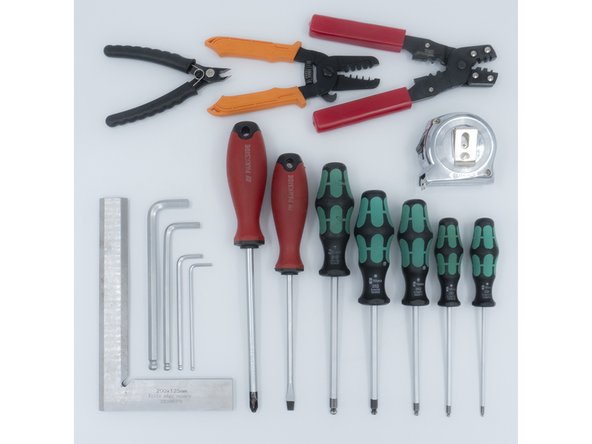
The following tools are required for this section of the guide:
-
Allen key / hex wrenches in the following sizes: 2.5mm & 5mm
-
Avoid using ball end hex wrenches where possible as they are more prone to damaging the heads of smaller screws
-
The following are recommended for this guide:
-
Paper towels
-
Disposable gloves
-
A light oil, such as 3-in-1 or sewing machine oil
-
-
-
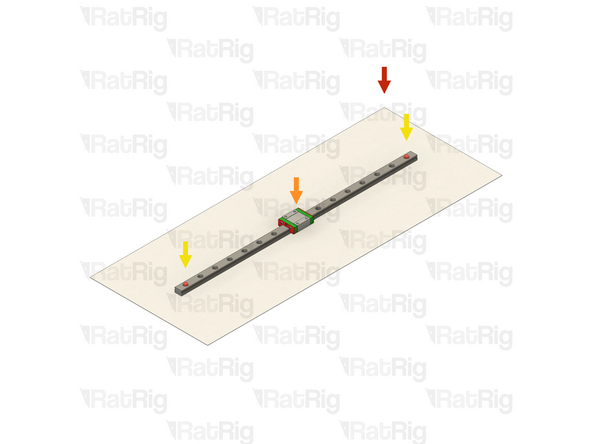
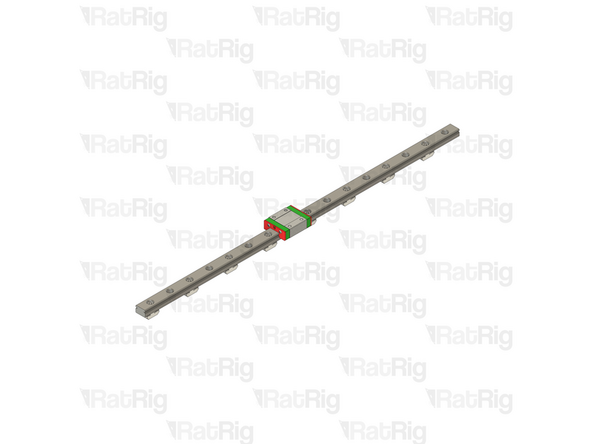
The linear rails are supplied with a protective oil coating on them. It is strongly recommended to prepare your work surface with paper towels and to wear disposable gloves
-
Paper Towels
-
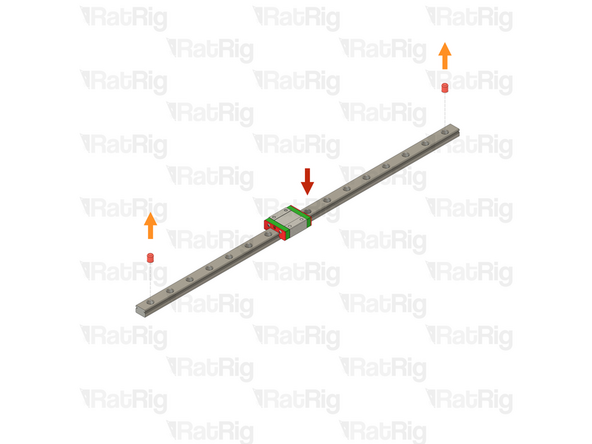
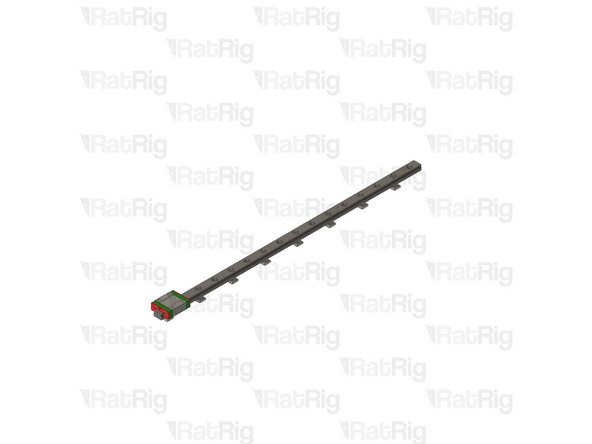
Linear Rail
-
The oil on the rails protects them from rusting. You must either replace this oil after cleaning (as directed below), or make sure not to remove all of the original oil during preparation
-
An easy solution to both protect, and lubricate the rails, is using a light oil such as 3-in-1 or sewing machine oil
-
Apply a small amount of oil to a paper towel and then apply the oil to the rail by wiping it with the oiled paper towel. This may be done prior to, or after the installation of the linear rails
-
Do not remove the plastic stops installed in the ends of the linear rail at this point as they prevent the carriage from leaving the rail
-
More advanced users may wish to fully grease the rails & carriage with a specialised bearing lubricant. It is important to use the correct grade and make sure there are no additives such as PTFE, graphite, molybdenum disulfide, etc. The recommended grade of grease is EP00 or EP000 as these lubricate well, without being too viscous
-
-
-
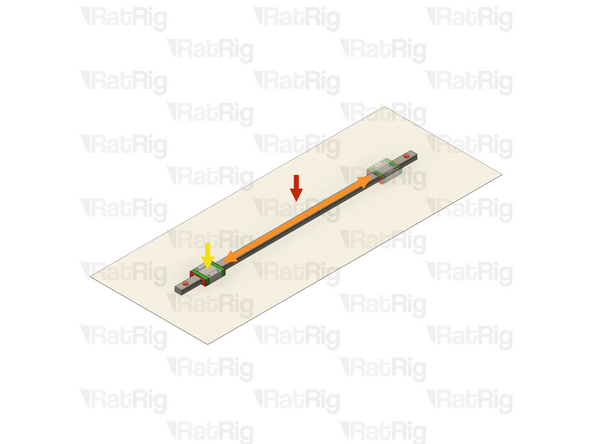
With the linear rail still on the absorbent paper towels, carefully and slowly move the carriage from one end of the rail to the other
-
The carriage should move smoothly over the entire length of the rail
-
Small changes in resistance are normal, but the carriage becoming much harder to push, or binding completely are not
-
Repeat the previous test whilst applying a small amount of force downwards on the carriage
-
The carriage will likely travel more smoothly when applying a downwards force, this is normal
-
If the carriage does not move smoothly, or binds completely, refer to the Linear Rail Troubleshooting Guide
-
-
-
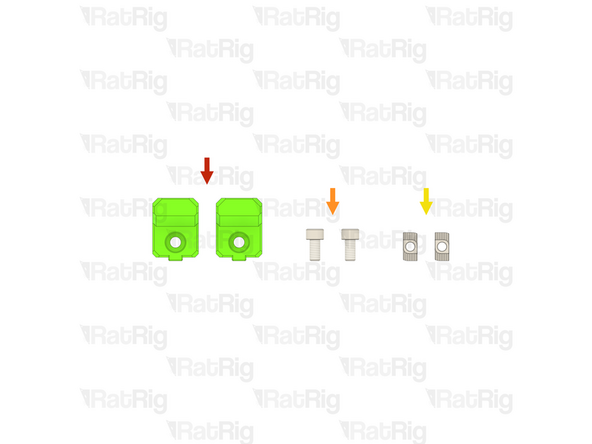
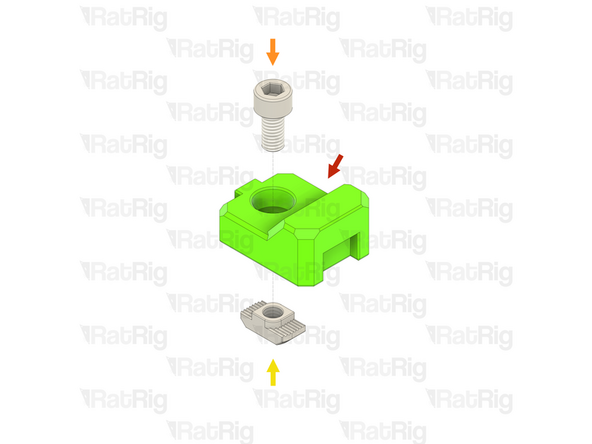
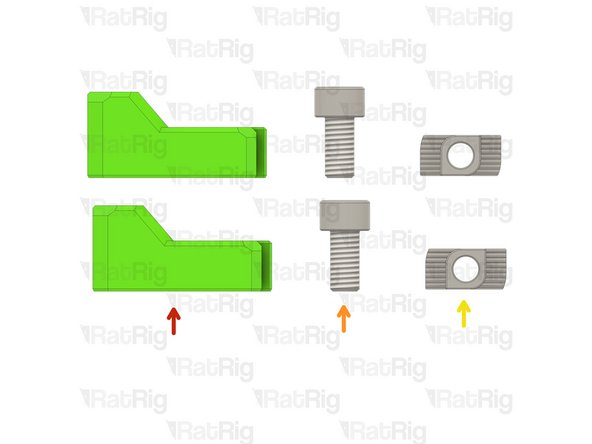
2x vc4_y_bumper Printed Part (SKU: PP000277)
-
2x M6x12 Cap Head Screw (SKU: HW1836SC)
-
2x T-Nut - Drop In Type for 30 Series - M6 (SKU: HW1361NC)
-
-
-
vc4_y_bumper Printed Part
-
M6x12 Cap Head Screw
-
T-Nut - Drop In Type for 30 Series - M6
-
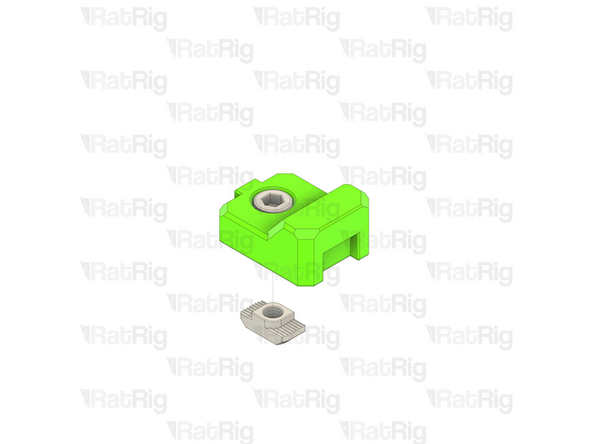
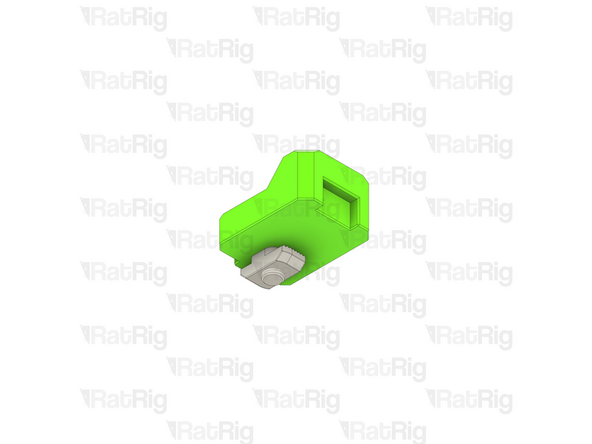
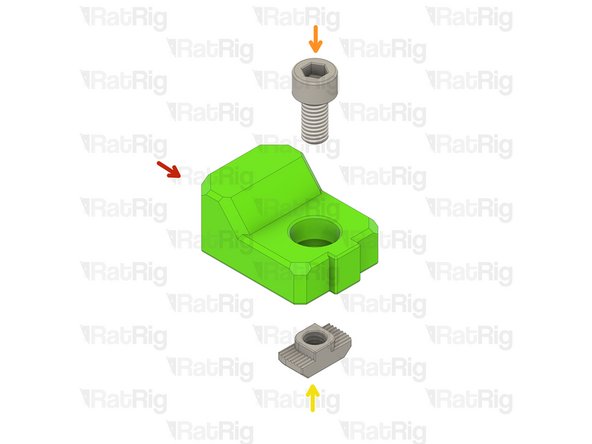
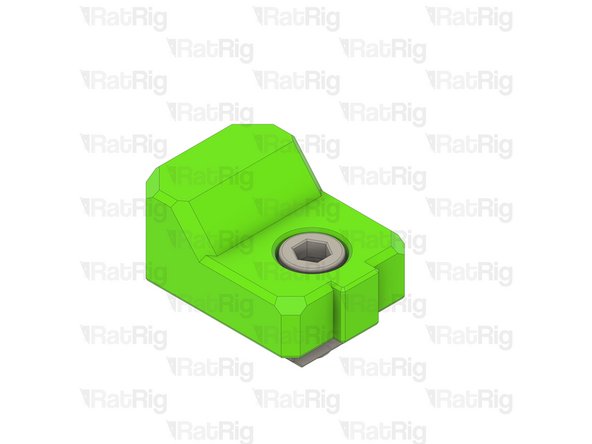
Insert an M6x12 Cap Head Screw into the hole in the printed part and then loosely thread a T-Nut onto it. Do not tighten it at this point
-
-
-
V-Core 4.0 Frame Assembly - Front-left corner
-
vc4_y_bumper assembly from step 5
-
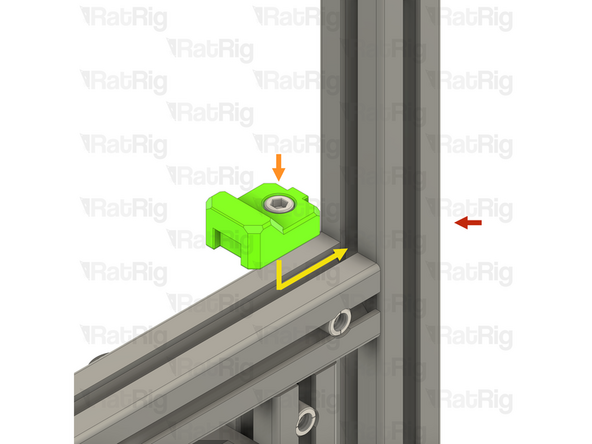
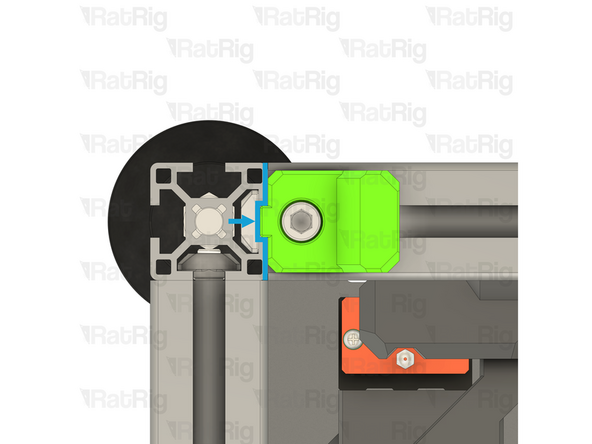
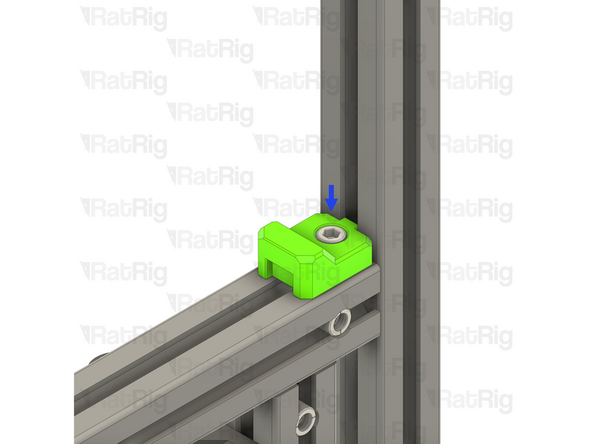
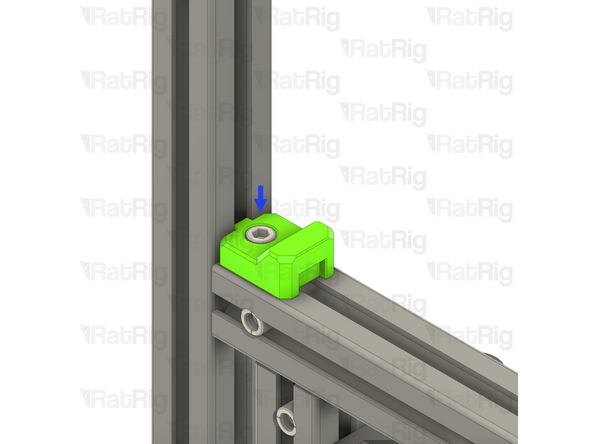
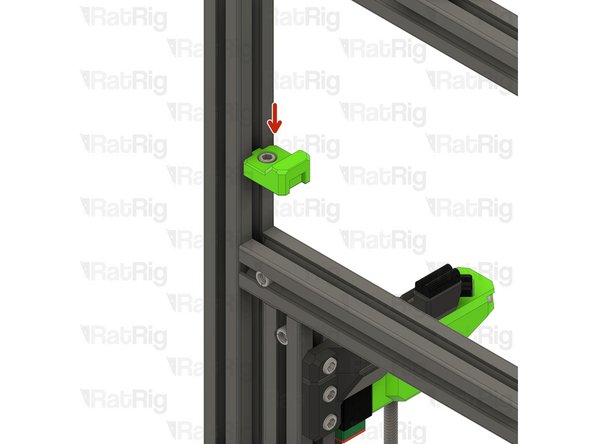
Align the Y-axis bumper with the extrusion slot as shown
-
Make sure that the T-Nut is slotted into the extrusion
-
Make sure the Y-axis bumper sits against the extrusion and the notch fits into the extrusion slot
-
Fully tighten the M6x12 Cap Head Screw to secure the Y-axis bumper to the extrusion
-
-
-
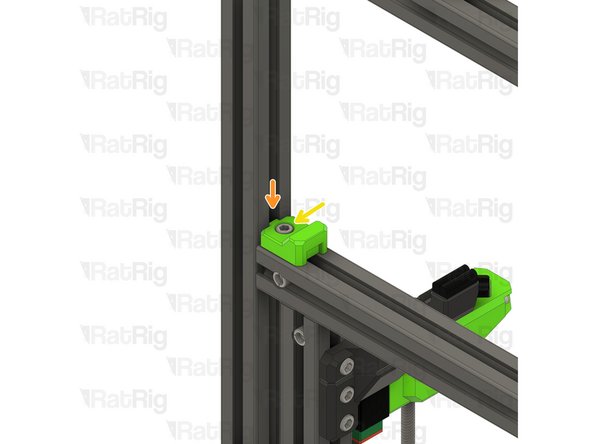
V-Core 4.0 Frame Assembly - Front-right corner
-
vc4_y_bumper assembly from step 5
-
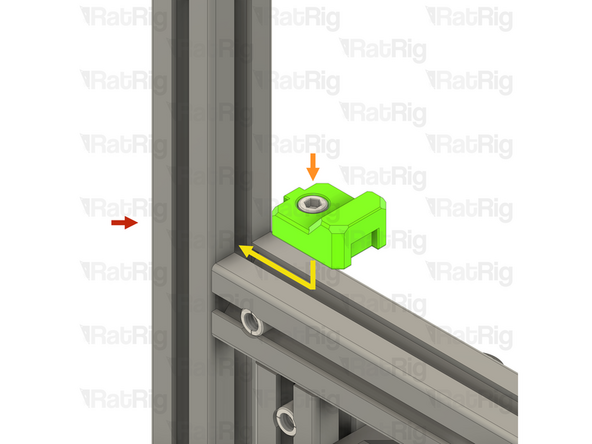
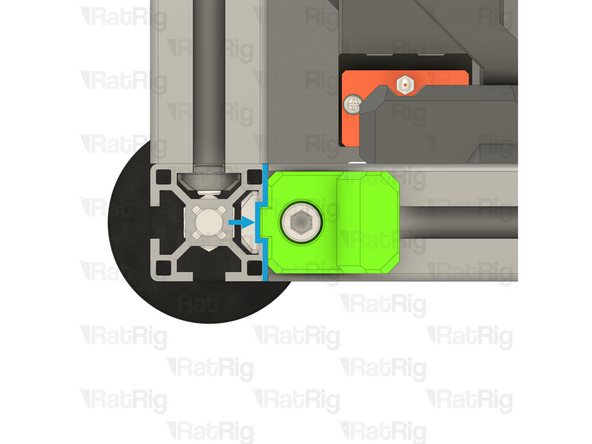
Align the Y-axis bumper with the extrusion slot as shown
-
Make sure that the T-Nut is slotted into the extrusion
-
Make sure the Y-axis bumper sits against the extrusion and the notch fits into the extrusion slot
-
Fully tighten the M6x12 Cap Head Screw to secure theY-axis bumper to the extrusion
-
-
-
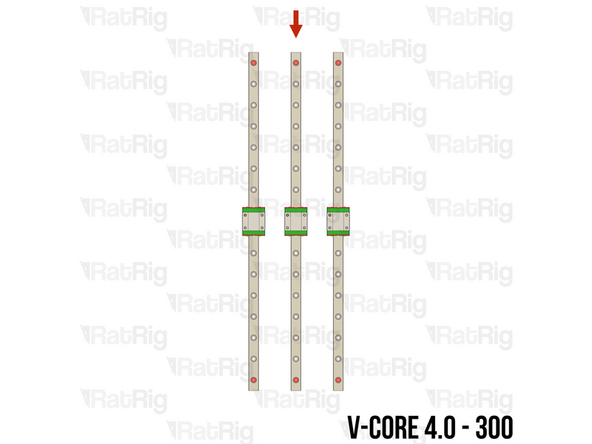
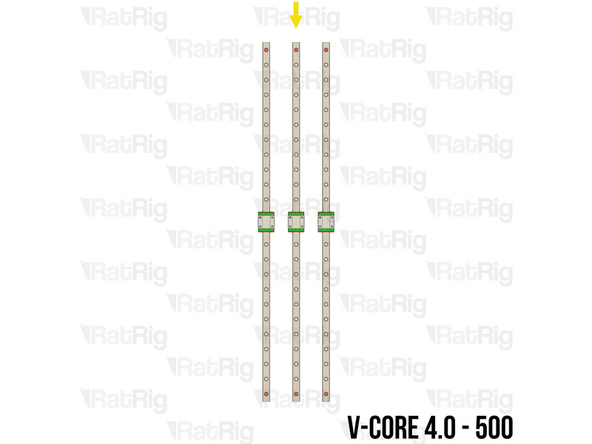
The SKUs for the V-Core 4.0 Z-axis linear rails vary depending on the size:
-
V-Core 4.0 - 300: 2x Linear Rail - MGN12 400mm (SKU: HW2036GC)
-
Each rail has fifteen holes for mounting
-
V-Core 4.0 - 400: 2x Linear Rail - MGN12 500mm (SKU: HW2034GC)
-
Each rail has nineteen holes for mounting
-
V-Core 4.0 - 500: 2x Linear Rail - MGN12 600mm (SKU: HW2356GC)
-
Each rail has twenty-three holes for mounting
-
-
-
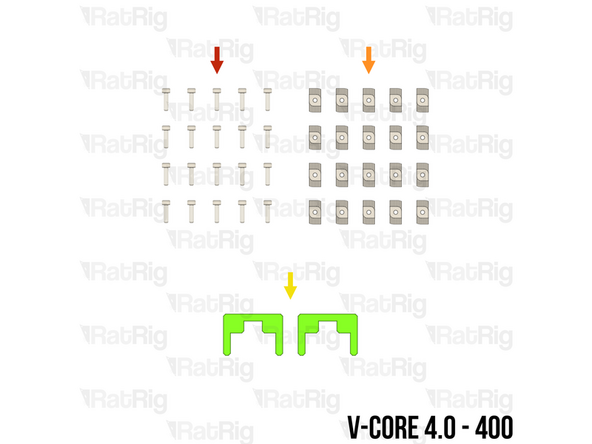
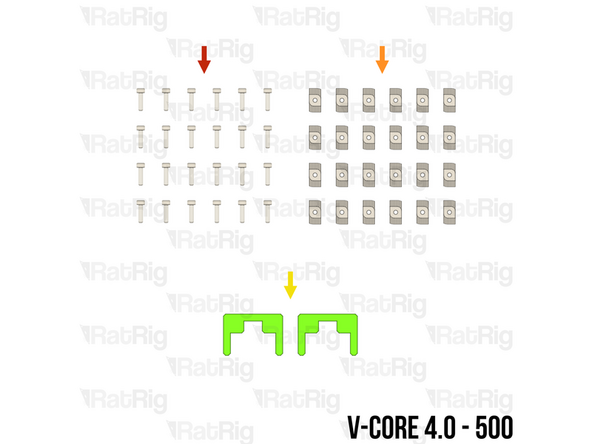
M3x12 Cap Head Screw (SKU: HW1292SC)
-
T-Nut - Drop In Type for 30 Series - M3 (SKU: HW1821NC)
-
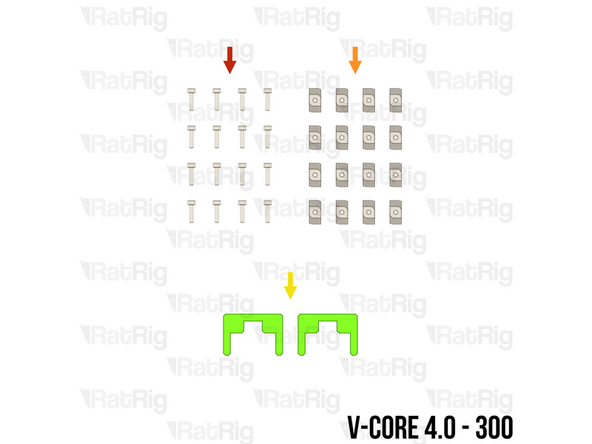
The required quantity of M3x12 Cap Head Screws and T-Nut - Drop In Type for 30 Series - M3 varies depending on size:
-
V-Core 4.0 - 300: 16 of each
-
V-Core 4.0 - 400: 20 of each
-
V-Core 4.0 - 500: 24 of each
-
2x align_3030_mgn12 Printed Part (SKU: PP000003)
-
Please note: The alignment tools may have been printed in green or black. The design is the same regardless of colour
-
-
-
Prepared Y-axis linear rail from step 8
-
Remove both of the plastic stops in the linear rail
-
Make sure from this point onwards that the carriage does not leave the end of the linear rail
-
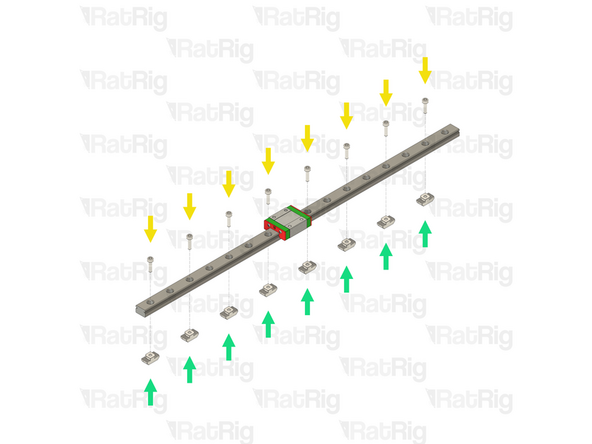
M3x12 Cap Head Screw
-
Starting at one end of the linear rail, insert an M3x12 Cap Head Screw into every other mounting hole
-
T-Nut - Drop In Type for 30 Series - M3
-
Loosely thread a T-Nut onto each of the M3x12 Cap Head Screws. Do not tighten them at this point
-
Repeat the above instructions to assemble both Y-axis linear rails
-
-
-
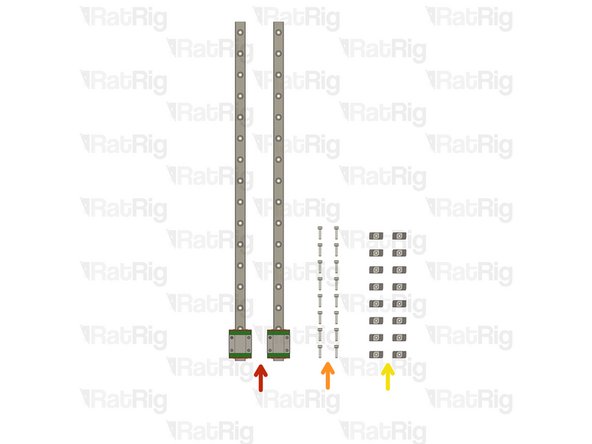
2x 400mm MGN12 Linear Rail
-
16x M3x12 Cap Head Screw
-
16x 3030 Drop-in T-Nut - M3
-
V-Core 4 400 - 20 Screws + T-nuts
-
V-Core 4 500 - 24 Screws + T-nuts
-
The linear rail carriages are not interchangeable. Do not try to use a carriage on a different linear rail than the one it was supplied with.
-
-
-
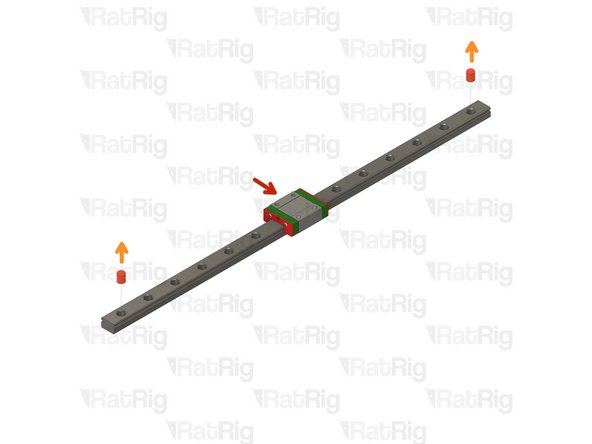
Linear Rail
-
Remove the plastic stops installed in the ends of the linear rail
-
Do not allow the linear rail carriage to leave the end of the rail
-
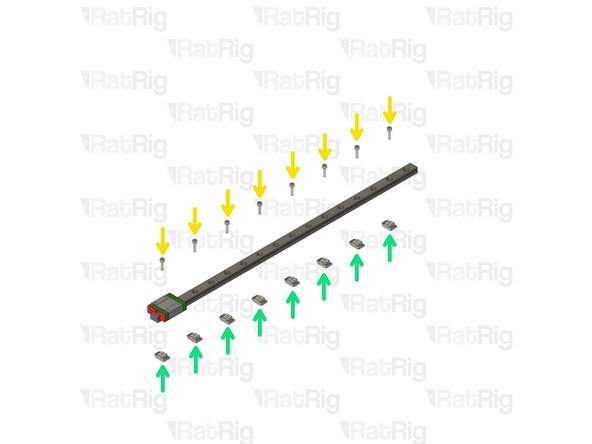
Insert an M3x12 screw in every other hole in the linear rail
-
Loosely thread a 3030 T-Nut onto each of the M3x12 screws
-
-
-
vc4_y_bumper printed part
-
2x M6x12 Cap Head Screw
-
2x 3030 Drop-in T-Nut - M6
-
Repeat the previous steps and assemble another Y bumper
-
-
-
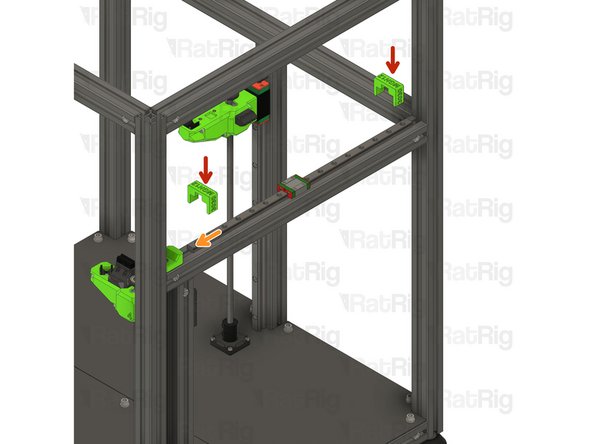
Y bumper assembly from the previous step.
-
Make sure the printed part is fully inserted in the frame extrusion's slot,
-
Tighten the M6x12 Cap Head Screw
-
Take care not to over tighten the M6x12 screws as you damage the printed parts
-
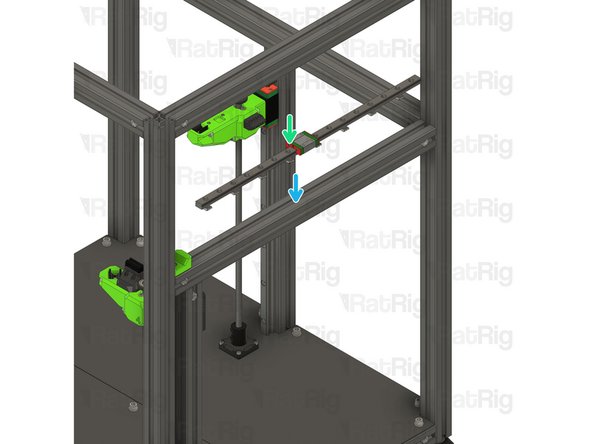
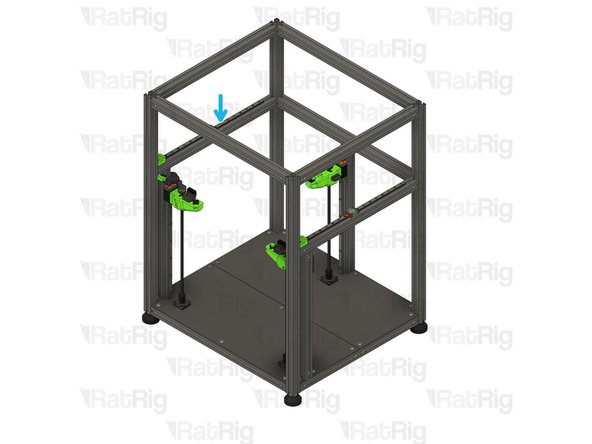
400mm MGN12 Linear Rail Assembly
-
Insert the linear rail into the 3030 extrusion
-
-
-
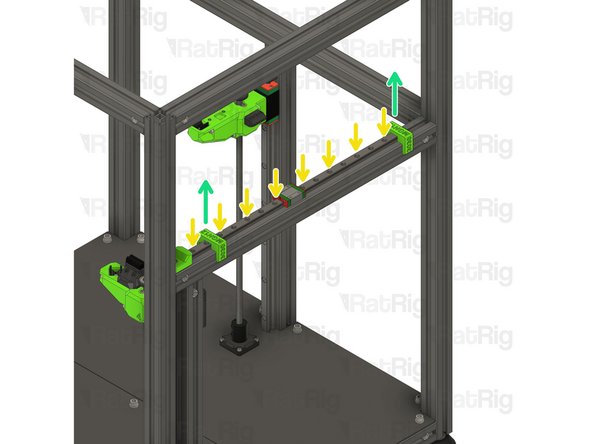
Install the two MGN12 3030 alignment tools as shown, this will make sure the linear rail is positioned correctly
-
Slide the MGN12 linear rail into the Y bumper printed part
-
Fasten the marked M3x12 screws, starting from the front.
-
MGN12 Rails should be tightened to 98 N-cm of torque, overtightening the screws will result in rail binging.
-
Remove the MGN12 3030 alignment tools
-
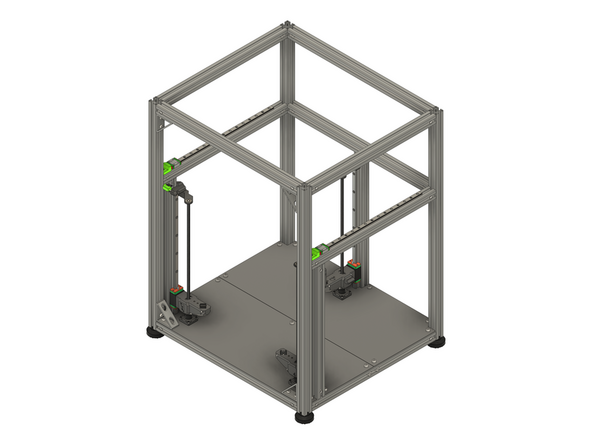
Repeat Steps 6 and 7 and install the linear rail on the opposite side
-
-
-
The next guide to follow depends on the variant of V-Core 4.0 you are building:
-
If you are building a CoreXY variant of the V-Core 4.0, then please continue to 04. Motion System - CoreXY
-
If you are building a Hybrid or IDEX variant of the V-Core 4.0, then please continue to 05. Motion System - Hybrid or IDEX
-