
-
-
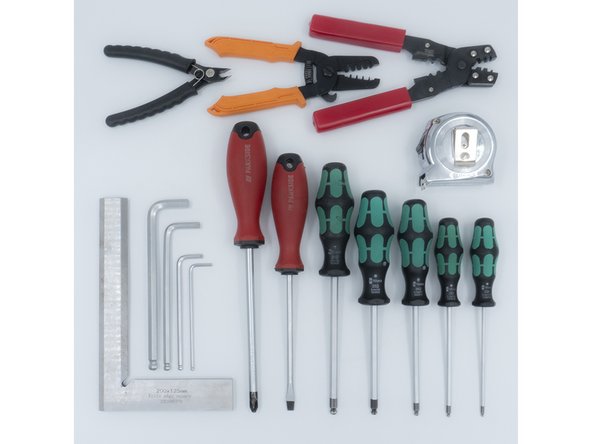
The following tools are required for this guide:
-
Allen key / hex wrenches in the following sizes: 1.5mm, 2mm, 2.5mm & 5mm
-
Avoid using ball end hex wrenches where possible as they are more prone to damaging the heads of smaller screws
-
A pair of scissors
-
The following tools are recommended for this guide:
-
A pair of cutters
-
-
-
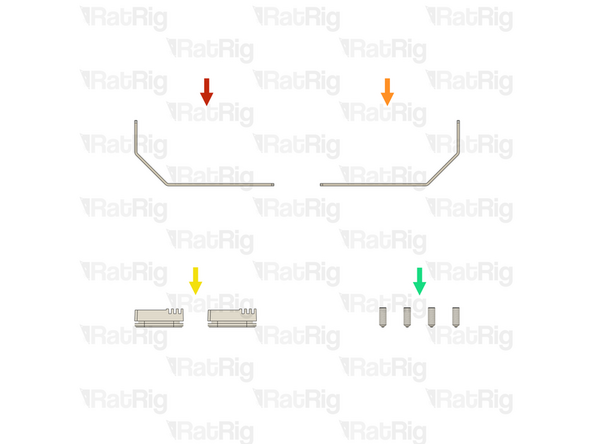
1x Rat Rig V-Core 4.0 - Oozeguard Arm - Left (SKU: HW3730BC)
-
1x Rat Rig V-Core 4.0 - Oozeguard Arm - Right (SKU: HW3731BC)
-
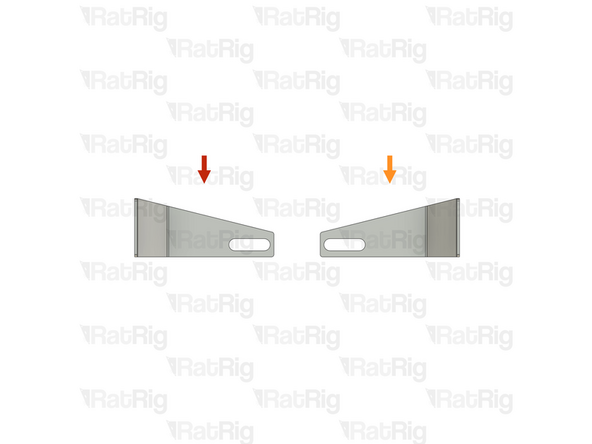
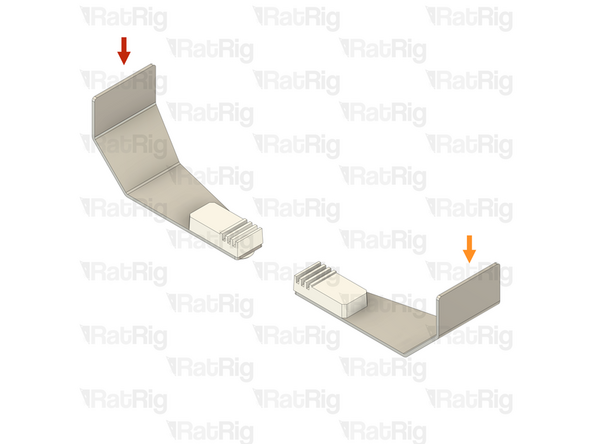
Please note: The left and right Oozeguards are different. Use the provided image to correctly identify them
-
2x Rat Rig V-Core 4.0 - Oozeguard Silicone (SKU: HW3732GC)
-
4x Set Screw M3x8mm (SKU: HW3733SC)
-
-
-
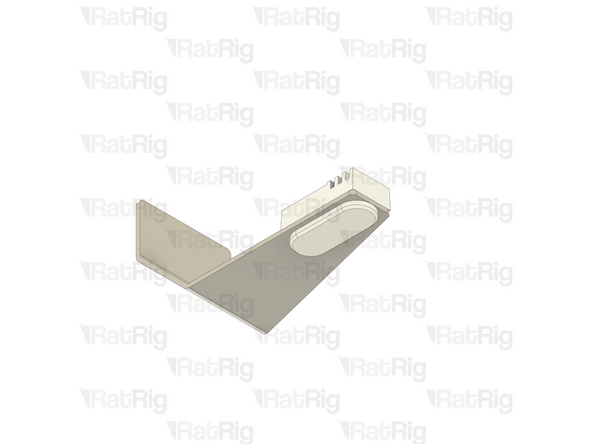
Rat Rig V-Core 4.0 - Oozeguard Arm - Left
-
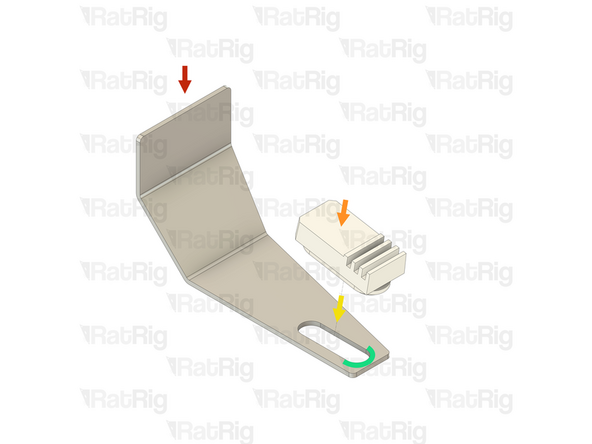
Rat Rig V-Core 4.0 - Oozeguard Silicone
-
Insert the Oozeguard Silicone into the arm as shown
-
Begin by pushing one end of the silicone "flange" through the Oozeguard Arm
-
Using a blunt object such as a flat-head screwdriver, push the remainder of the "flange" thought the Oozeguard Arm
-
Avoid using anything sharp as this can damage the silicone and take care not to bend the Oozeguard Arm
-
Make sure the Oozeguard Silicone is correctly oriented with the ribbed end facing away from the Oozeguard Arm
-
-
-
Repeat the previous step to assemble the other Ooozeguard
-
Left Oozeguard Assembly
-
Right Oozeguard Assembly
-
-
-
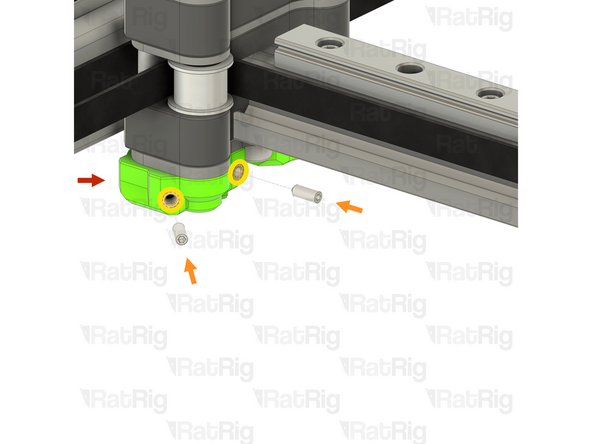
V-Core 4.0 X-Axis Gantry Assembly - Left Side
-
2x Set Screw M3x8mm
-
Slightly thread a Set Screw into each of the two marked heat inserts. Do not fully thread them in at this point
-
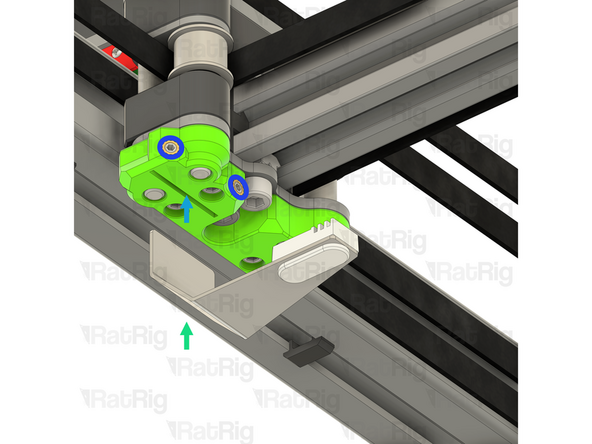
Left Oozeguard Assembly from step 4
-
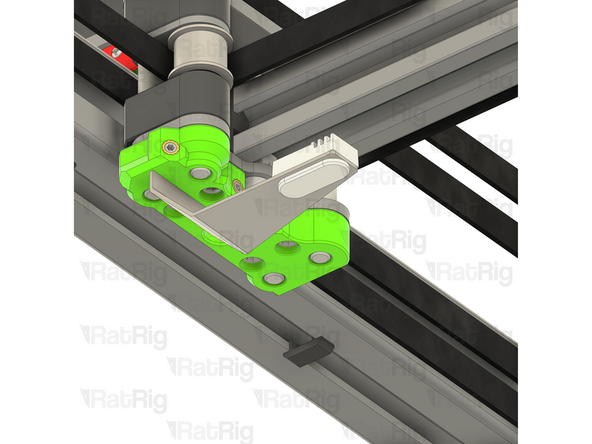
Insert the Oozeguard Assembly into the slot on the underside of the X-Axis Gantry as shown
-
Tighten both M3x8 Set Screws to secure the Oozeguard Arm in place
-
Be careful not to overtighten the M3x8 Set Screws as you can force the heat inserts out of the printed part
-
-
-
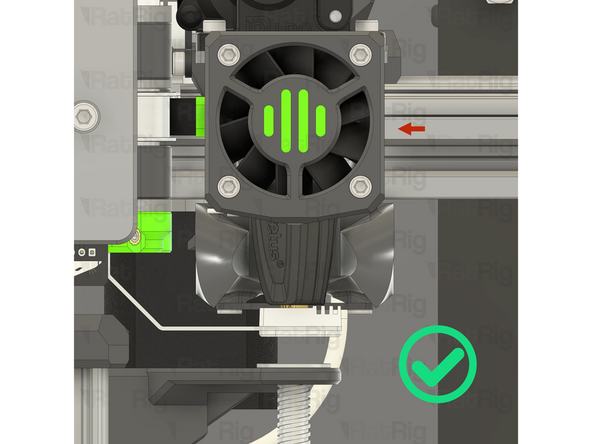
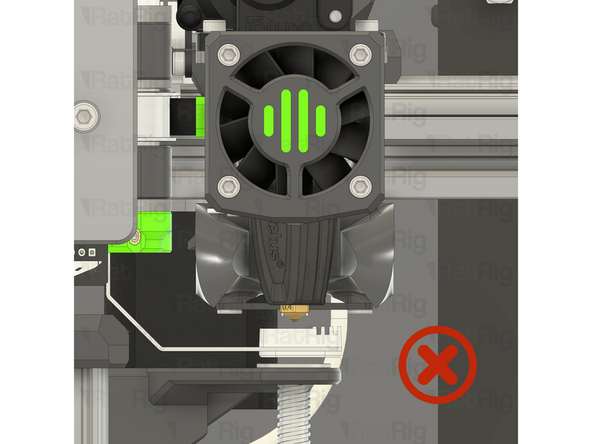
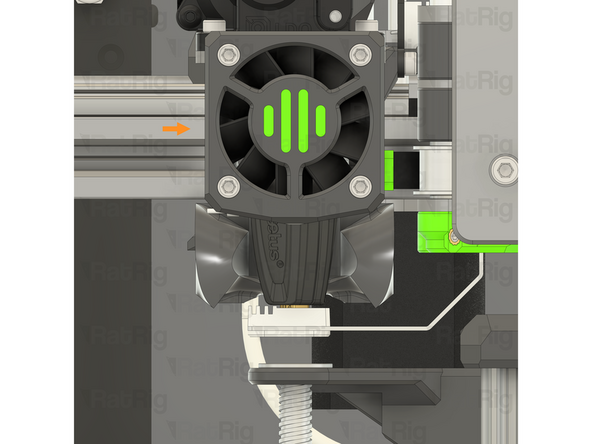
Move the left toolhead over the Oozeguard. The silicone and arm should flex out of the way and allow the nozzle to sit firmly on the pad
-
If there is a gap between the silicone and the nozzle, first make sure that the Rapido hotend has the UHF adapter and nozzle installed. These are required on the V-Core 4.0
-
If the Rapido hotend does have the UHF adapter and nozzle installed, and there is still a gap, make sure the Oozeguard is firmly installed within the printed part
-
If the Oozeguard is too high and prevents the toolhead from moving to the end of the X-axis, adjust the Oozeguard downwards slightly by loosening the two Set Screws, lowering the Oozeguard, and then retightening the Set Screws
-
Repeat both the previous step, and this step to install the right-hand Oozeguard
-
-
-
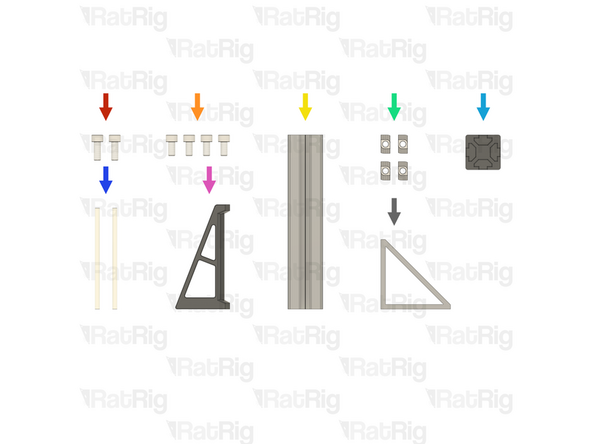
2x M6x16 Cap Head Screw (SKU: HW2827SC)
-
4x M6x12 Cap Head Screw (SKU: HW1836SC)
-
1x T-SLOT 3030 - Black Anodized - 150mm (SKU: HW306BRC)
-
4x T-Nut - Drop In Type for 30 Series - M6 (SKU: HW1361NC)
-
1x 3030_end_cap Printed Part (SKU: PP000179)
-
2x PTFE Tube Generic - OD 4mm ID 2.5mm - 87mm (SKU: HW3946GC) (Supplied as a single 3-metre length, cut two 87mm lengths)
-
1x vc4_spoolholder_arm Printed Part (SKU: PP000330)
-
1x Bracket - Extruded 90º Corner for 30 series - 6030 Tall - Black (SKU: HW3162BC)
-
-
-
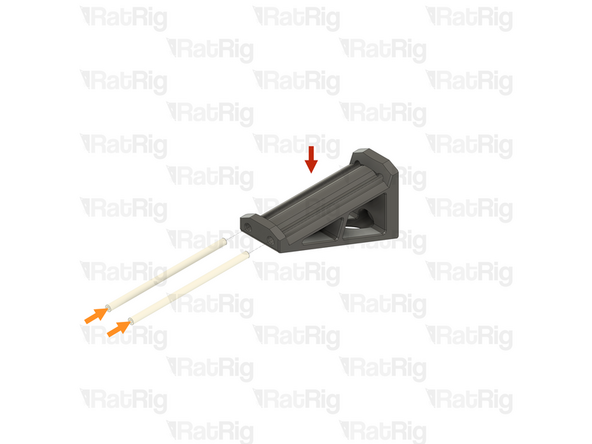
vc4_spoolholder_arm Printed Part
-
2x PTFE Tube Generic - OD 4mm ID 2.5mm - Cut to 87mm
-
Insert the PTFE tubes into the printed part as shown
-
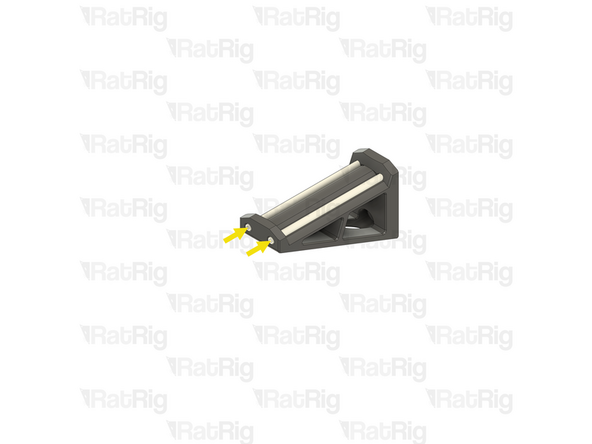
If cut to the correct length, the PTFE should be flush with the printed part when fully inserted
-
If the ends of the PTFE tube are not flush, make sure they are fully inserted and then trim off any excess with a sharp knife
-
-
-
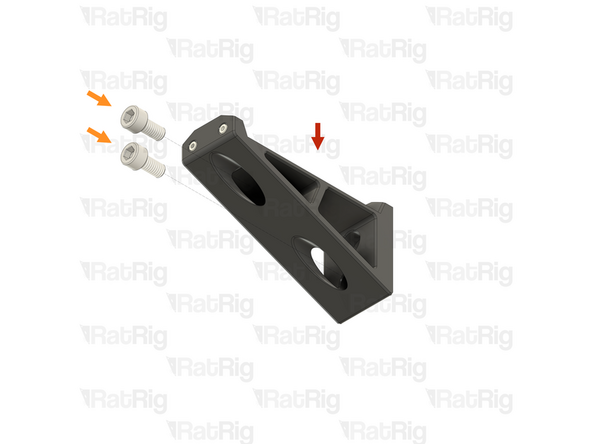
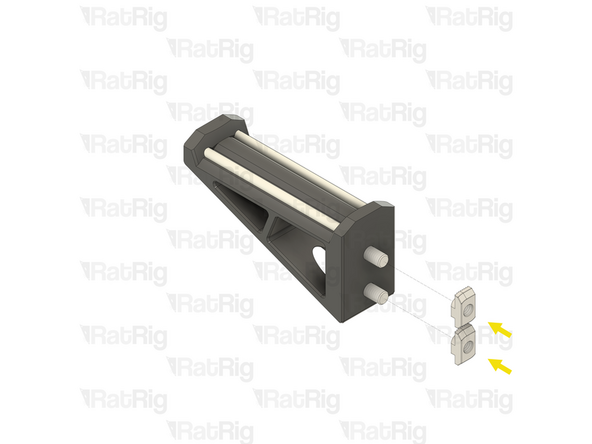
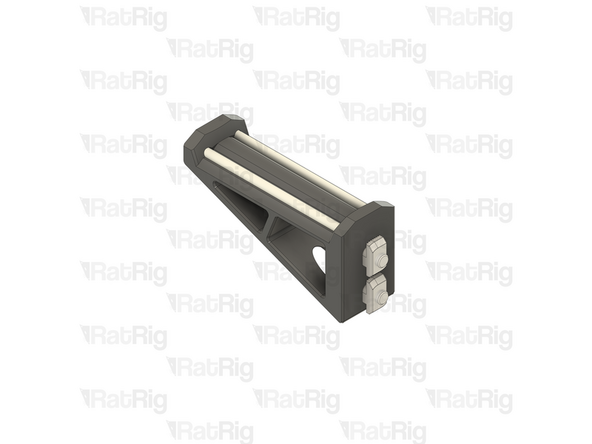
V-Core 4.0 spool holder arm assembly
-
2x M6x12 Cap Head Screw
-
2x T-Nut - Drop In Type for 30 Series - M6
-
Insert an M6x12 Cap Head Screw into each hole in the printed part and then loosely thread a T-Nut onto each. Do not tighten them at this point
-
-
-
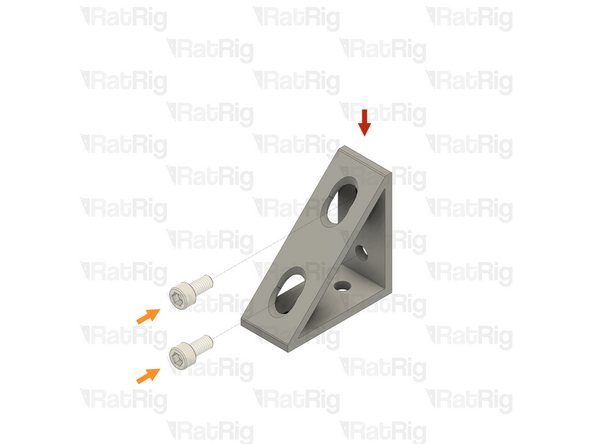
Bracket - Extruded 90º Corner for 30 series - 6030 Tall - Black
-
2x M6x12 Cap Head Screw
-
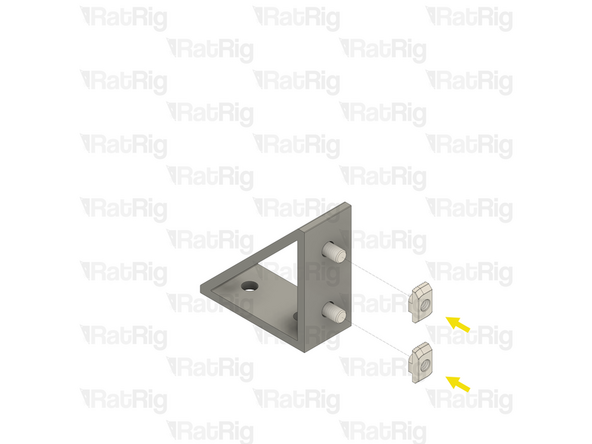
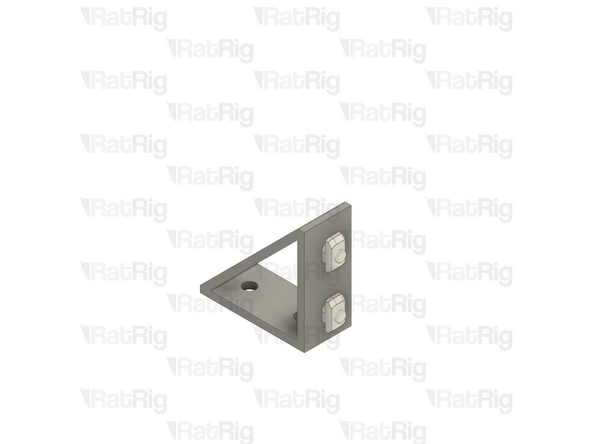
Insert an M6x12 Cap Head Screw into each of the two holes on one side of the bracket as shown
-
2x T-Nut - Drop In Type for 30 Series - M6
-
Loosely thread a 3030 T-nut onto each of the two M6x12 Cap Head Screws. Do not tighten any of them at this point
-
-
-
T-SLOT 3030 - Black Anodized - 150mm
-
Spool holder bracket assembly from step 10
-
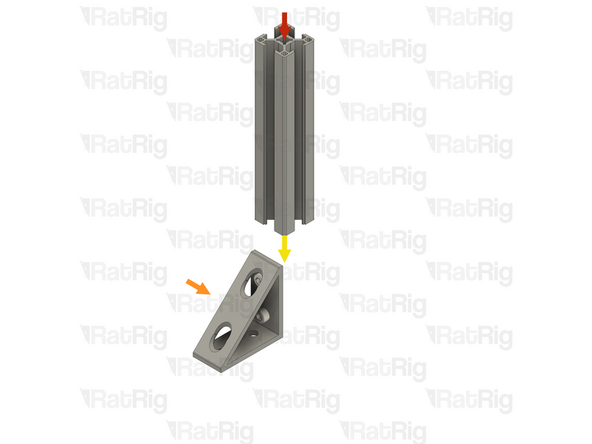
Attach the spool holder bracket to the 3030 extrusion
-
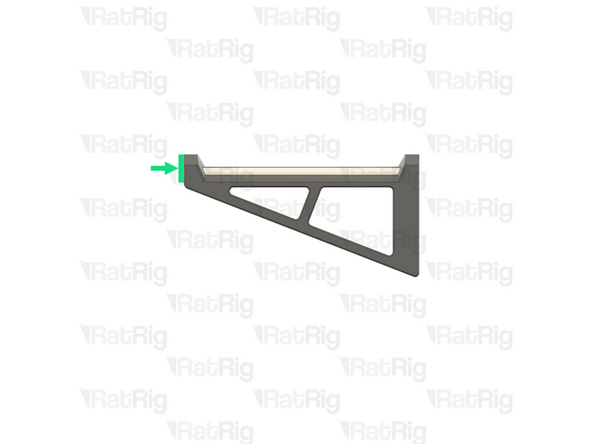
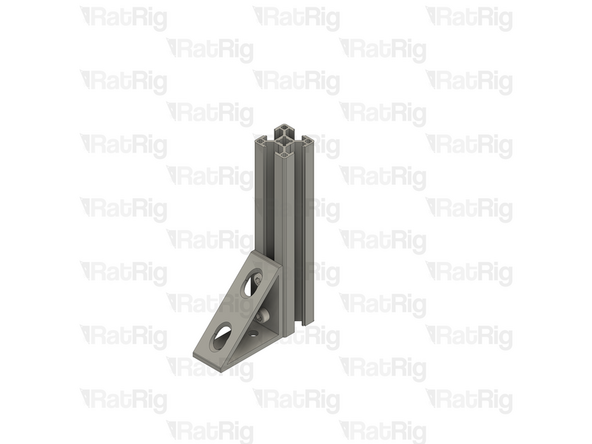
Make sure the end of the 3030 extrusion is flush with the bracket as shown
-
Fully tighten both M6x12 Cap Head Screws to secure the bracket to the extrusion
-
-
-
Spool holder assembly from the previous step
-
Spool holder arm assembly from step 9
-
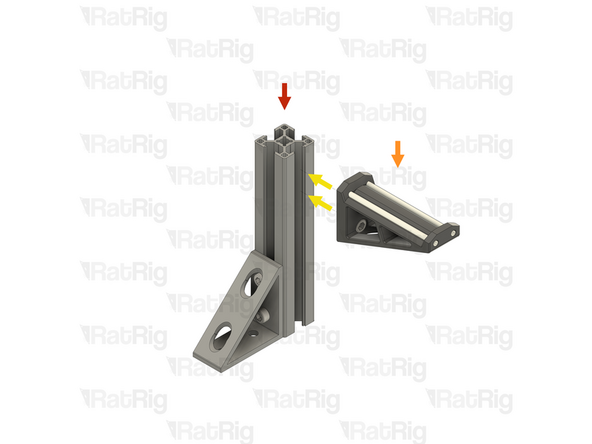
Align the spool holder arm assembly with the extrusion slot as shown
-
Make sure that both of the T-Nuts are slotted into the extrusion
-
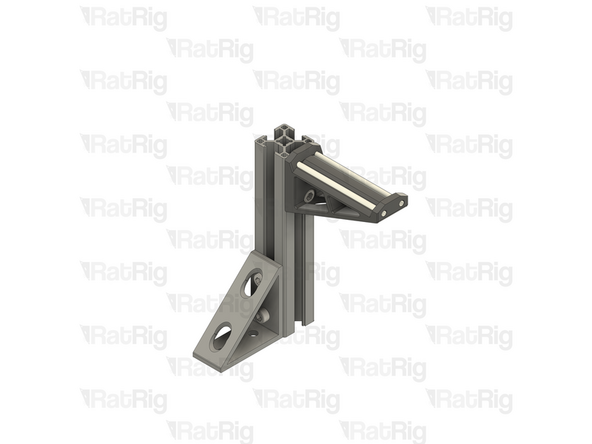
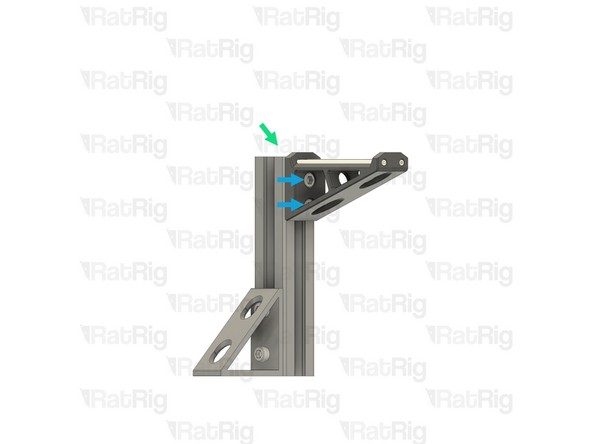
Position the spool holder arm so that the top is slightly above the end of the end of the extrusion
-
3mm is perfect as this will make the spool holder align with the extrusion end cap
-
Tighten both M6x12 Cap Head Screws to secure the spool holder arm to the extrusion
-
Be careful not to overtighten the M6x12 Cap Head Screws as you can damage the printed part
-
-
-
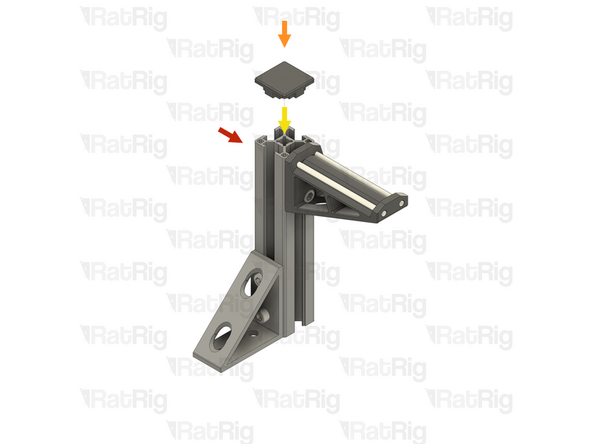
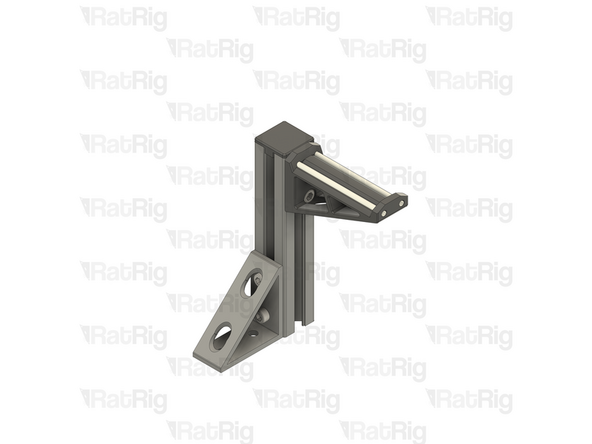
Spool holder assembly from the previous step
-
3030_end_cap Printed Part
-
Insert the 3030_end_cap printed part into the end of the extrusion as shown
-
-
-
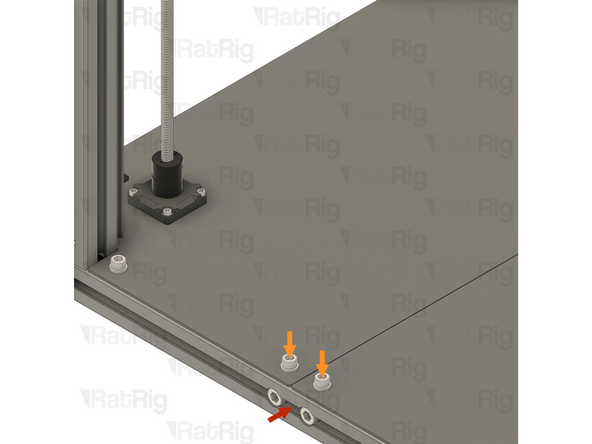
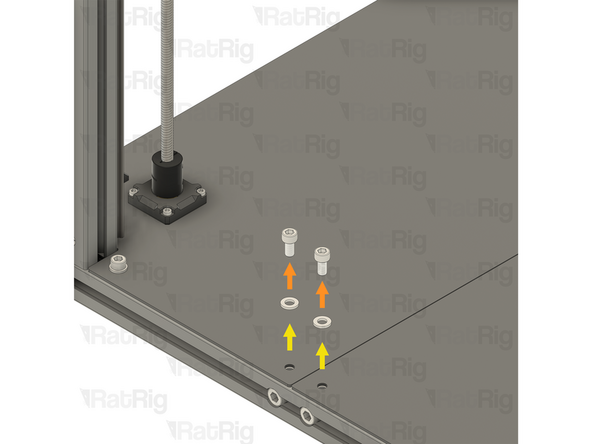
V-Core 4.0 Assembly - Right-hand side
-
2x M6x12 Cap Head Screw
-
2x M6 Washer
-
Carefully unscrew and remove both M6x12 Cap Head Screws and both M6 washers, they are no longer needed
-
It is important not to move the T-Nuts hidden under the Base Plate
-
-
-
Spool holder assembly from step 13
-
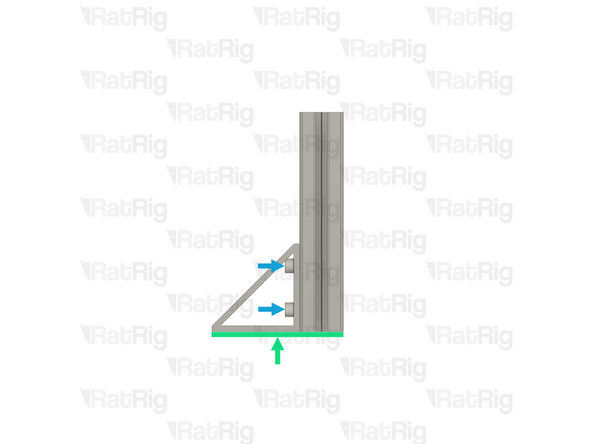
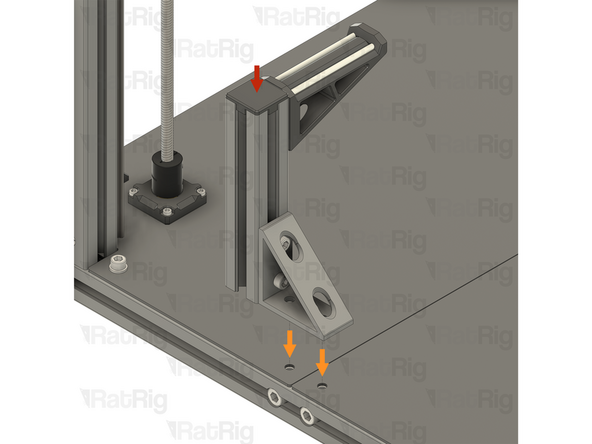
Position the spool holder assembly as shown. The bottom holes in the bracket should align with the holes in the Base Plate and the spool holder arm should point inwards
-
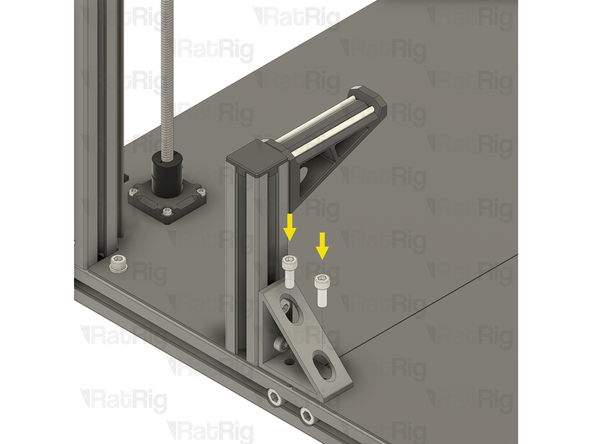
2x M6x16 Cap Head Screw
-
Insert both M6x16 Cap Head Screws into the bracket and thread them back into the T-Nuts under the Base Plate
-
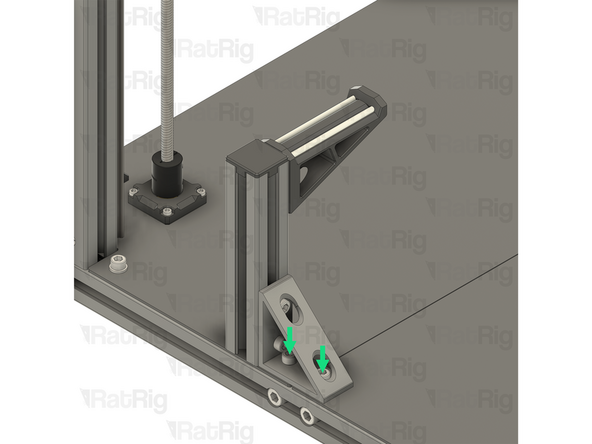
Fully tighten both M6x16 Cap Head Screws to secure the spool holder to the frame
-
-
-
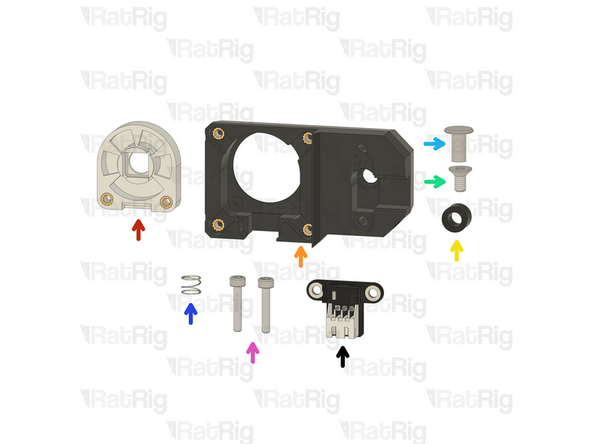
1x Prepared VAOC diffusor assembly from step 61 of the Preparations guide
-
1x Prepared VAOC body assembly from step 60 of the Preparations guide
-
1x POM Spacer - OD9xID5.1x6mm for VAOC (SKU: HW4142GC)
-
1x M4x8 Countersink Screw (SKU: HW4083SC)
-
1x Custom CNC machined chicago bolt actuator button (SKU: HW4143GC)
-
1x Spring - Stainless Steel (SKU: HW4093GC)
-
2x M3x16 Cap Head Screw (SKU: HW1507SC)
-
1x Rat Rig VAOC Endstop v1.0 (SKU: HW4084MK)
-
-
-
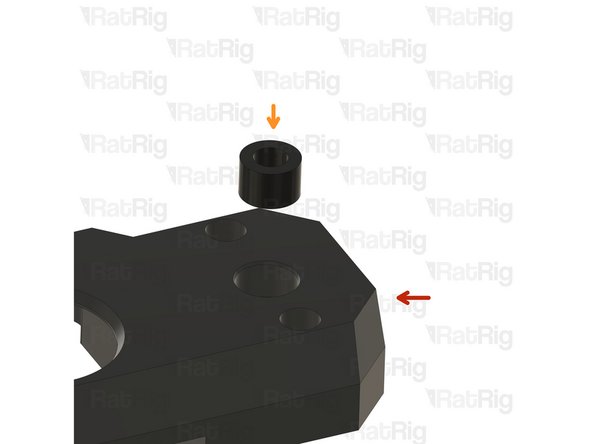
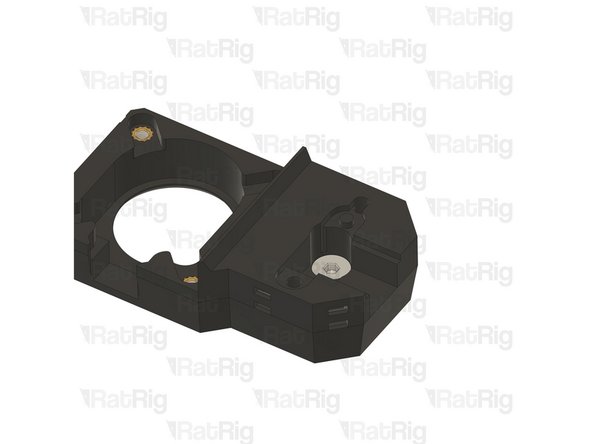
Prepared VAOC body assembly
-
POM Spacer - OD9xID5.1x6mm for VAOC
-
Insert the spacer into the VAOC body assembly as shown
-
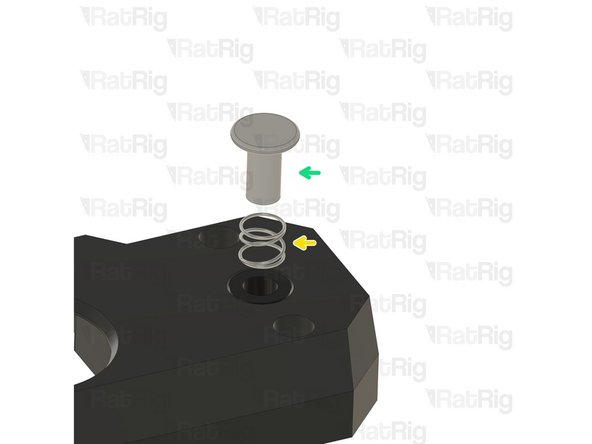
Spring - Stainless Steel
-
Custom CNC machined chicago bolt actuator button
-
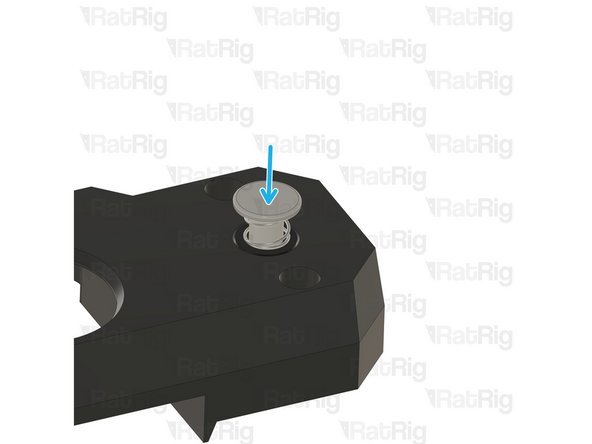
Slip the spring over the shaft of the actuator button and then insert the shaft of the actuator button into the POM Spacer as shown
-
Keep pressure on the actuator button until the following step is completed
-
-
-
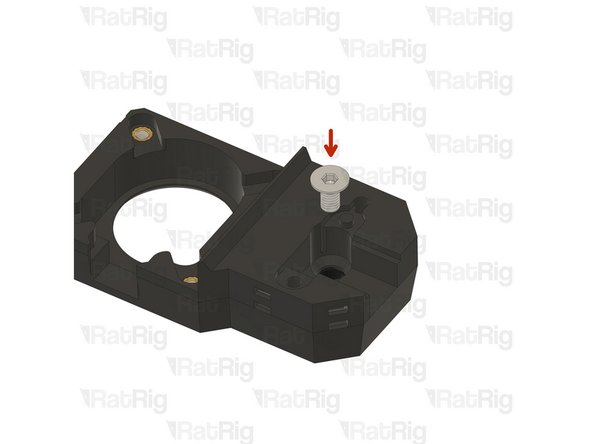
M4x8 Countersink Screw
-
Fasten the M4x8 Countersink Screw into the threads inside the actuator button shaft as shown
-
Make sure the M4x8 Countersink Screw is fully tightened
-
Test the movement of the actuator button. It should freely move up and down without binding
-
-
-
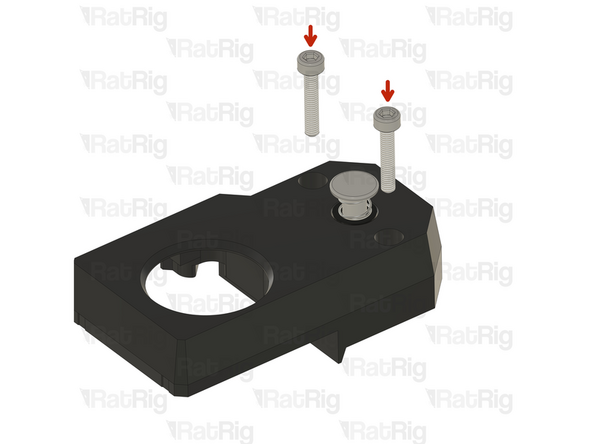
2x M3x16 Cap Head Screw
-
Insert the M3x16 Cap Head Screws into the marked holes
-
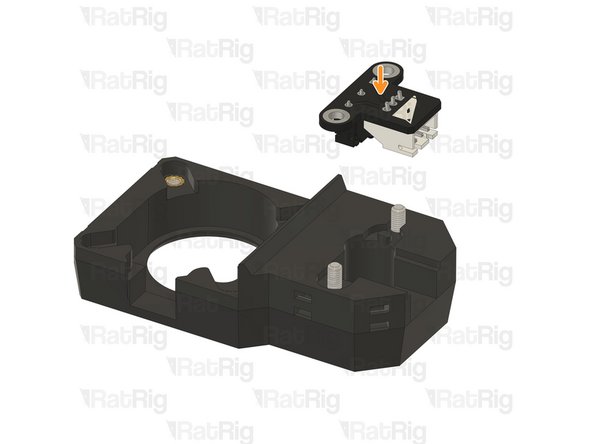
Rat Rig VAOC Endstop v1.0
-
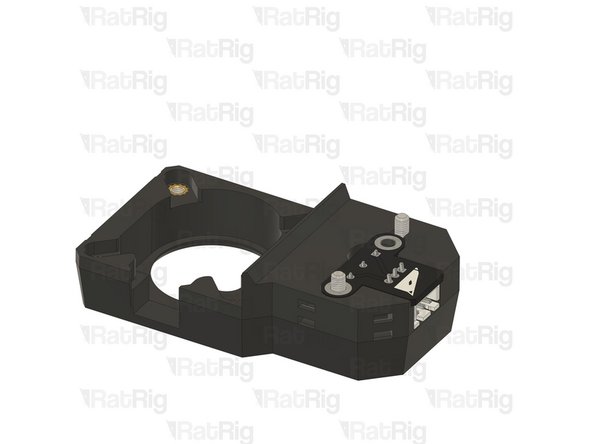
Insert the Rat Rig VAOC Endstop into the VAOC module as shown
-
Make sure to avoid the VAOC Endstop or M3x16 Cap Head Screws falling out during the following steps
-
-
-
Prepared VAOC diffusor assembly
-
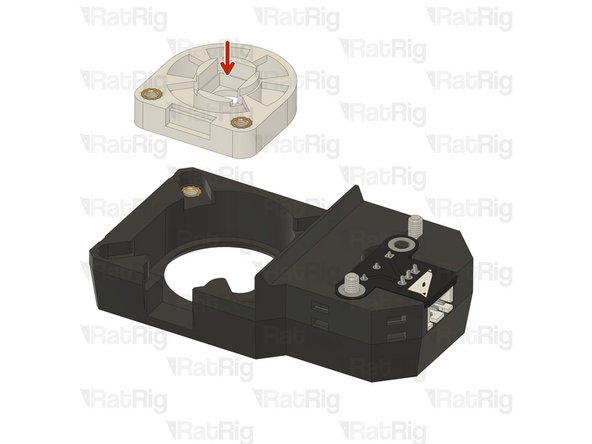
Insert the VAOC diffusor into the VAOC body as shown
-
-
-
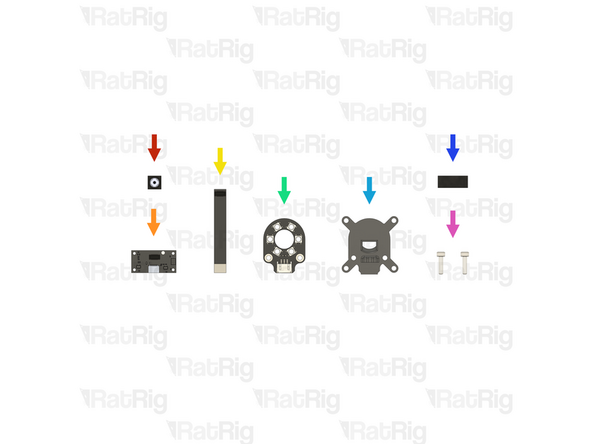
Rat Rig VAOC Camera Module (With 50mm FPC) (SKU: HW3992EC)
-
1x Rat Rig VAOC Camera
-
1x Rat Rig VAOC Camera DSP Board
-
1x 50mm FPC
-
1x Rat Rig VAOC LED Module (SKU: HW3998EC)
-
1x vc4_vaoc_midframe Printed Part (SKU: PP000359)
-
20mm of Foam Strip - 1mm x 8mm - Adhesive 3M - EVA material (SKU: HW2943GC)
-
2x M3x12 Cap Head Screw (SKU: HW1292SC)
-
-
-
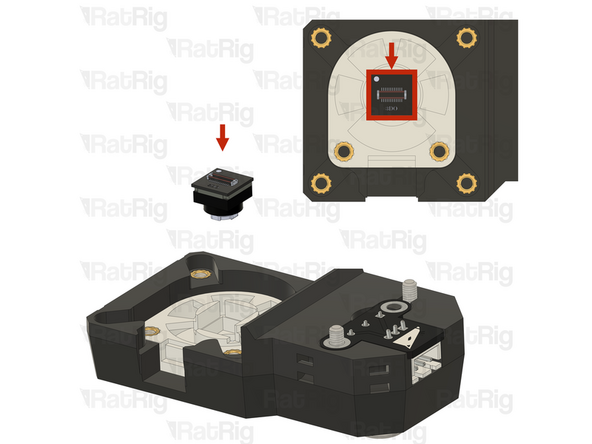
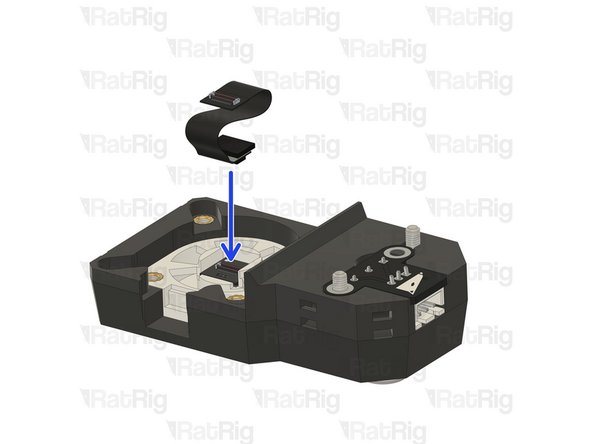
Insert the Rat Rig VAOC Camera into the diffusor, using the white mark to orient it correctly
-
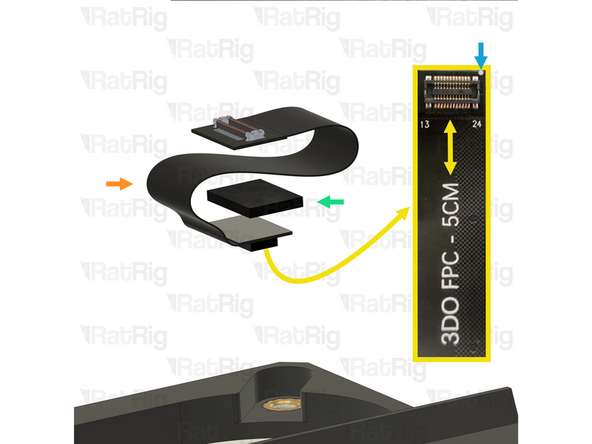
50mm FPC
-
The camera end of the FPC is where the text "3DO FPC - 5cm" ends
-
Foam Strip - 1mm x 8mm - Adhesive 3M - EVA material
-
Cut the foam to the size of the back of the FPC connector and apply it only to the back of the camera end
-
Use the white mark on the FPC to correctly orient it up with the VAOC Camera
-
Connect the FPC to the VAOC Camera as shown. Make sure the orientation is correct
-
-
-
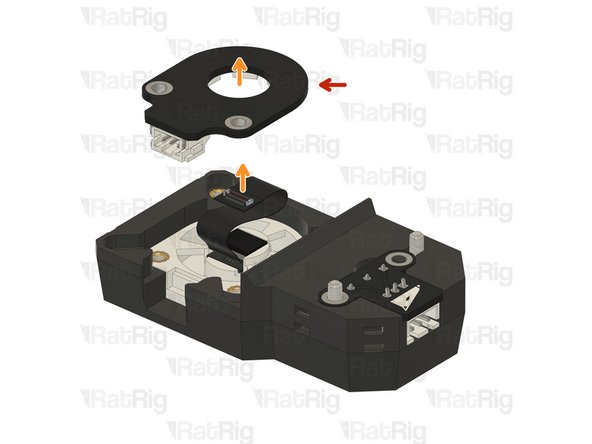
Rat Rig VAOC LED module
-
Pass the opposite end of the FPC through the hole in the centre of the VAOC LED module, ensuring it remains connected to the VAOC Camera
-
Insert the VAOC LED Module into the VAOC assembly as shown
-
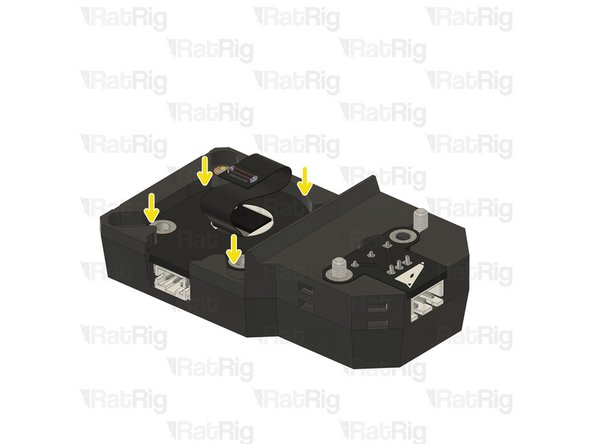
It is possible that the Rat Rig VAOC LED Module PCB has small imperfections from manufacturing which could cause interferences when installing
-
If the Rat Rig VAOC LED Module does not fit correctly, you can use some sandpaper to smooth down any remaining imperfections
-
If it is necessary to smooth the PCB edges, do it in a well-ventilated area and wear a mask. PCB dust is hazardous to your health
-
-
-
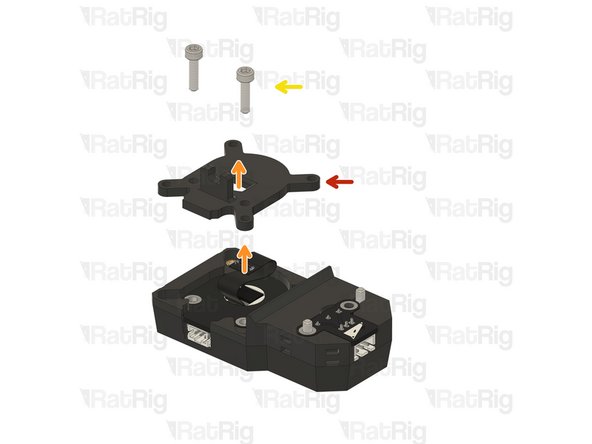
vc4_vaoc_midframe
-
Pass the end of the FPC through the hole in the centre of the vc4_vaoc_midframe printed part, ensuring it remains connected to the VAOC Camera
-
M3x12 Cap Head Screws
-
Insert the M3x12 Cap Head Screws through the midframe, VAOC LED Module and tighten them into the VAOC diffusor
-
Take care not to overtighten the screws as you can damage the printed parts
-
-
-
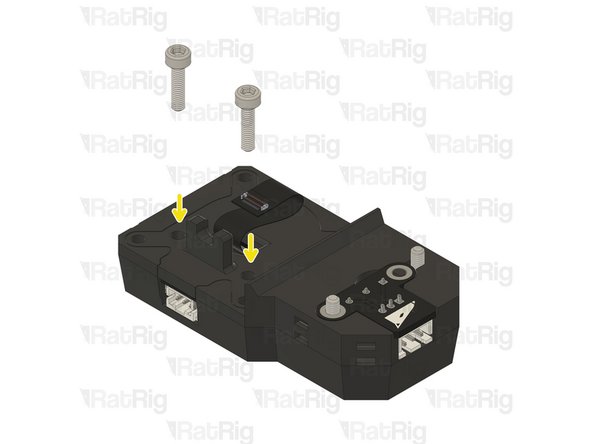
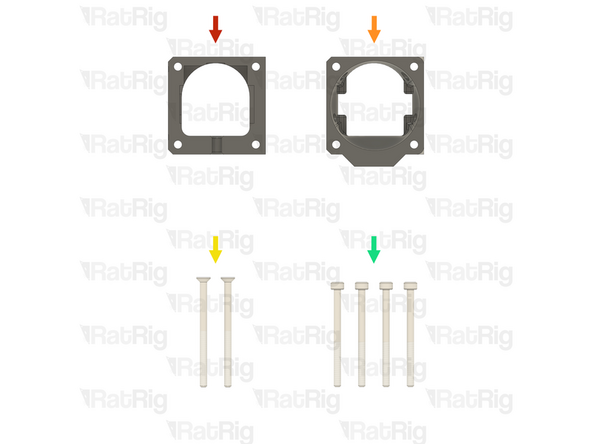
1x vc4_vaoc_vent Printed Part (SKU: PP000356)
-
1x vc4_vaoc_duct Printed Part (SKU: PP000357)
-
2x M3x45 Countersink Screw (SKU: HW3497SC)
-
4x M3x40 Cap Head Screw (SKU: HW1869SC)
-
-
-
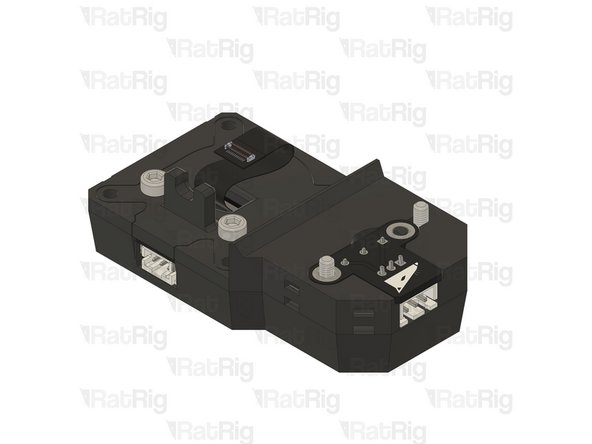
The VAOC wiring should have been pre-run in step 60 through step 63 of the Wiring Guide. The remaining VAOC assembly steps will need to be performed on the V-Core 4.0 assembly
-
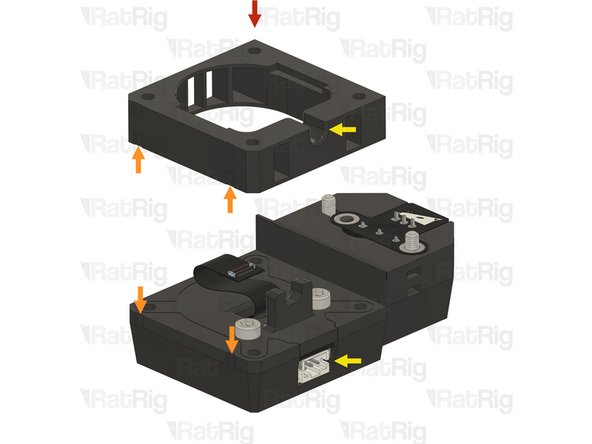
vc4_vaoc_vent
-
Align the small markers on the printed parts to ensure the correct orientation of the assembly
-
Make sure the marked cable exit is facing upwards and is on the same side as the VAOC LED Module connector
-
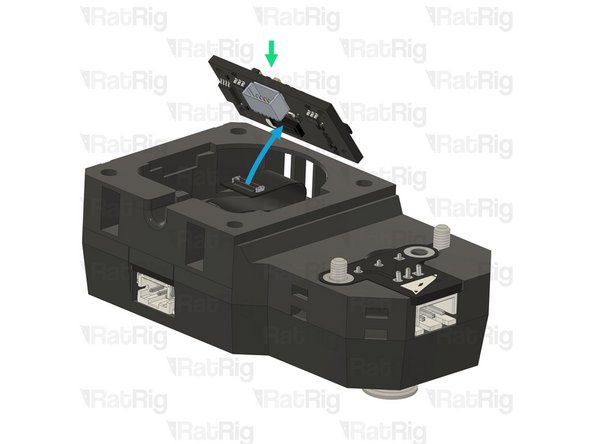
Rat Rig VAOC Camera DSP Board
-
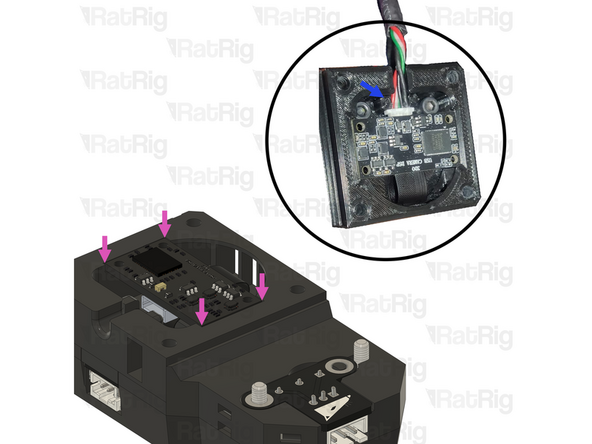
Connect the FPC to the VAOC Camera DSP Board as shown
-
Connect the Rat Rig VAOC Camera DSP Board to the USB-A to Rat Rig VAOC Camera cable which was installed in step 61 of the Wiring Guide
-
Fit the Rat Rig VAOC Camera DSP Board into the VAOC assembly as shown. The VAOC midframe will secure the Camera DSP Board USB connector preventing it from disconnecting
-
-
-
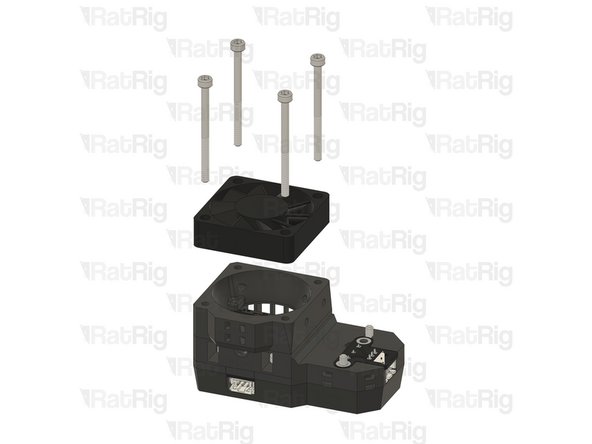
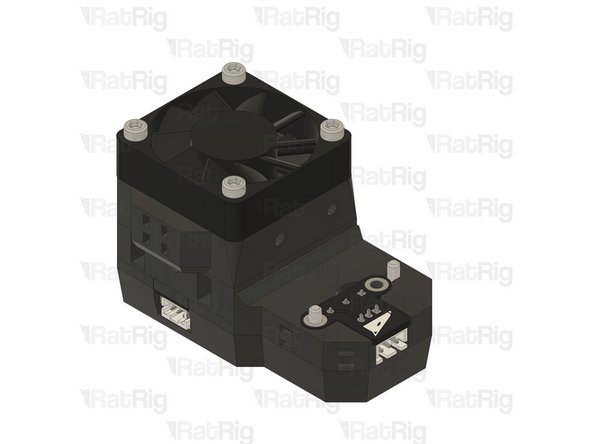
vc4_vaoc_duct
-
Fan - 40mm Axial Brushless 24V DC - 1500mm Cable previously installed in step 63 of the Wiring Guide
-
Orient the fan as shown so that the label on the fan faces into the VAOC Module assembly and that the fan cable exits the on the same side as the VAOC LED Module connector
-
4x M3x40 Cap Head screw
-
Align the small markers on the printed parts to ensure the correct orientation of the assembly
-
Make sure the marked cable management is on the same side as the VAOC LED Module connector
-
-
-
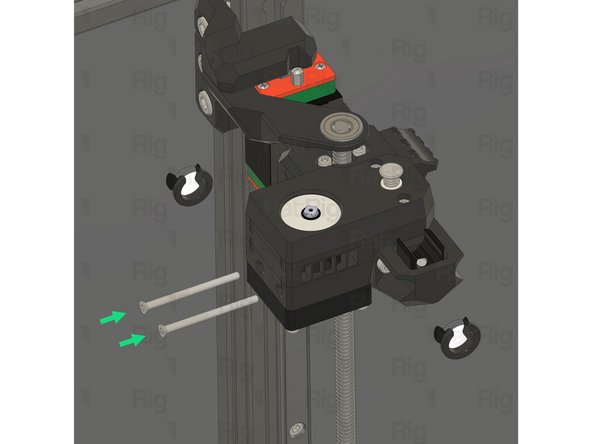
It is recommended to temporarily lift the bed assembly off of the arms and set it on the base of the V-Core 4.0 to allow better access to install the VAOC Module
-
VAOC Module assembly from the previous step
-
Align the two screws with the heat inserts on the top of the rear Z-axis arm
-
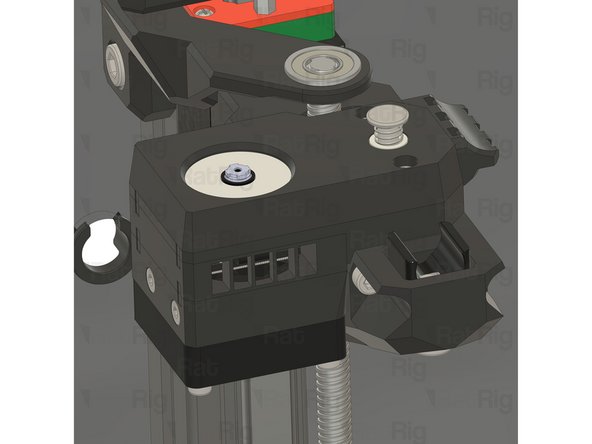
Fully tighten both M3x16 Cap Head Screws to secure the VAOC Module to the rear bed arm
-
2x M3x45 Countersink screw
-
Insert the both M3x45 Countersink Screws through the holes in the side of the VAOC Module and tighten them into the rear Z-axis arm
-
Take care not to overtighten the screws as you can damage the printed parts
-
-
-
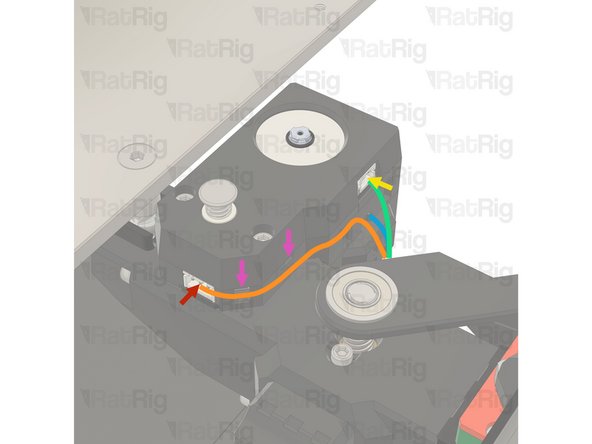
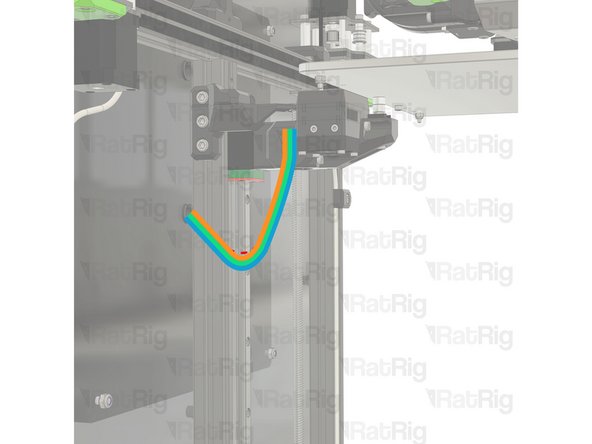
Connect the VAOC Endstop cable which was pre-installed in step 61 of the Wiring Guide to the VAOC Endstop
-
Route the VAOC endstop cable as shown
-
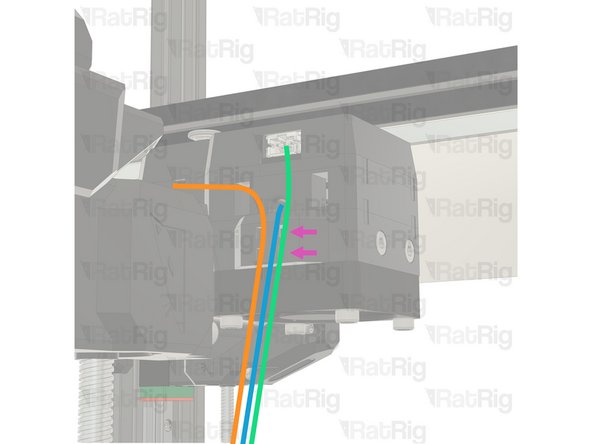
Connect the VAOC LED cable which was pre-wired in step 62 of the Wiring Guide to the VAOC LED Module
-
Route the VAOC LED Module cable as shown
-
Route the VAOC Camera Module cable as shown
-
Use zip ties to secure the wiring to the assembly to ensure proper stress relief
-





Cancel: I did not complete this guide.
2 other people completed this guide.
