Steps
9
- 03. Intermediate Bundle 9 steps

In Progress
This guide is currently being written. Reload periodically to see the latest changes.

Private
This guide will not appear in search results and can only be viewed by team members!
Quiz
0
Introduction
BEFORE STARTING:
Before beginning this guide, you must prepare all the necessary wires for the assembly. Below is a list of the required wires. The following nomenclature will be used: (Wire Length)_(AWG)_(Wire Color)_(A-End Connector)_(B-End Connector)_(ID number).
Use a small piece of tape to label each wire to ensure a smooth assembly process.
- 700mm - 16AWG RED (A-Fork, B-Ferrule) (0)
- 700mm - 16AWG RED (A-Fork, B-Fork) (1)
- 150mm - 16AWG RED (A-Fork, B-Ferrule) (2)
- 440mm - 16AWG RED (A-Fork, B-Ferrule) (3)
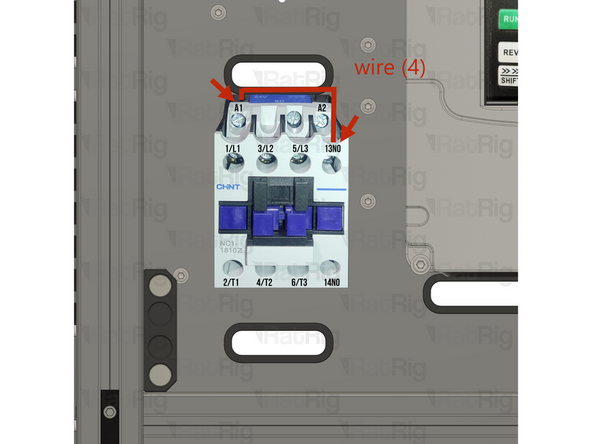
- 120mm - 16AWG RED (A-Fork, B-Fork) (4)
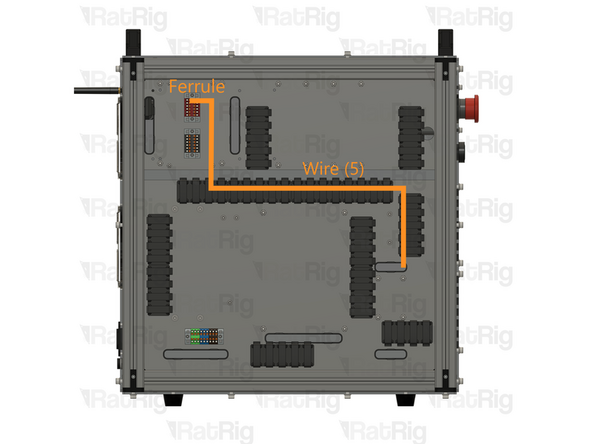
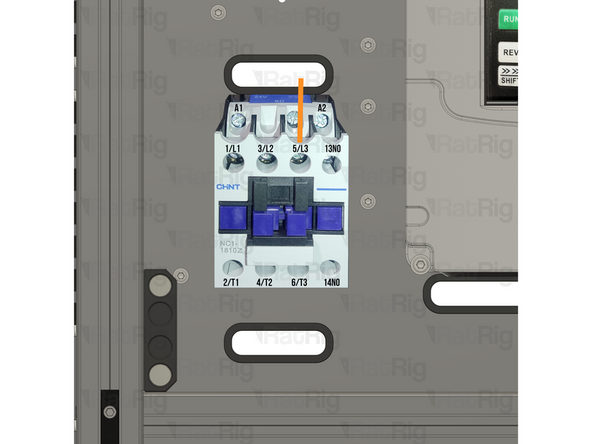
- 800mm - 16AWG RED (A-Fork, B-Ferrule) (5)
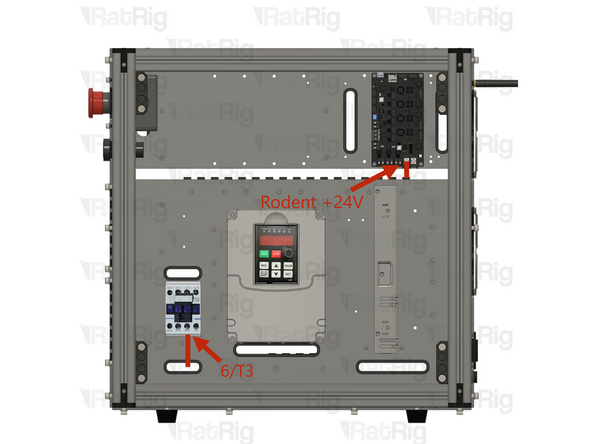
- 800mm - 16AWG RED (A-Fork, B-Fork) (6)
- 740mm - 16AWG RED (A-Fork, B-Ferrule) (7)
- 740mm - 16AWG BLACK (A-Fork, B-Ferrule) (8)
- 700mm - 16AWG BLACK (A-Fork, B-Ferrule) (9)
- 100mm - 16AWG BLACK (A-Fork, B-Ferrule) (10)
- 900mm - Multicore 2 Conductor - 24AWG (A-2xFork, B-2xFerrule) (11)
- 200mm - 18AWG BROWN (A-Fork, B-Ferrule) (12)
- 200mm - 18AWG BLUE (A-Fork, B-Ferrule) (13)
- 200mm - 18AWG YELLOW/GREEN (A-Fork, B-Ferrule) (14)
-
-
120mm - 16AWG RED (A-Fork, B-Fork) (4)
-
Insert wire (4) in the 13NO terminal on the contactor and connect it to the A1 terminal of the contactor.
-
After insertion, attempt to pull the wire to verify that it is securely attached.
-
800mm - 16AWG RED (A-Fork, B-Ferrule) (5)
-
Insert wire (5) in the 5/L3 terminal on the contactor and connect it to the +24V Red PTFix block.
-
-
-
800mm - 16AWG RED (A-Fork, B-Fork) (6)
-
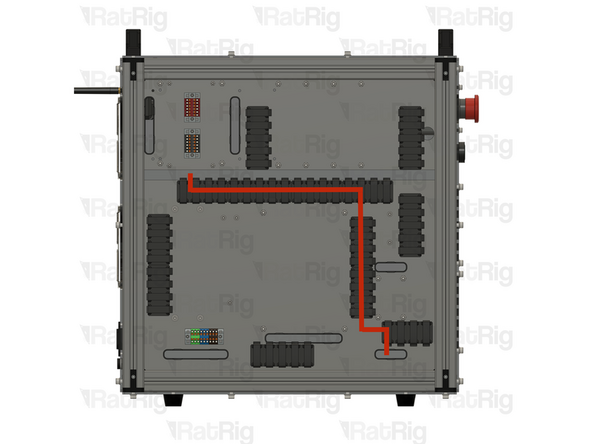
Route the wire as shown.
-
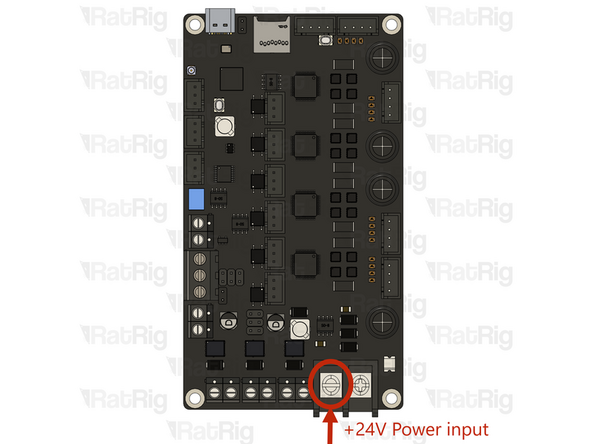
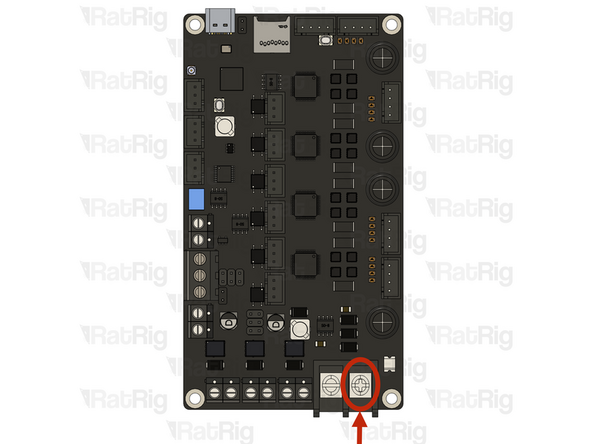
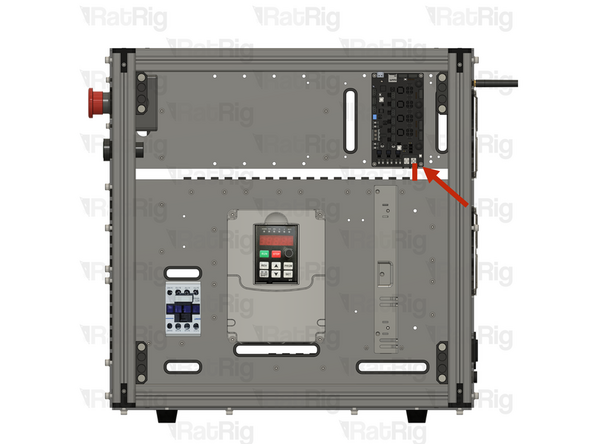
Insert wire (6) in the 6/T3 terminal on the contactor and connect it to the +24V Rodent input.
-
After insertion, attempt to pull the wire to verify that it is securely attached.
-
-
-
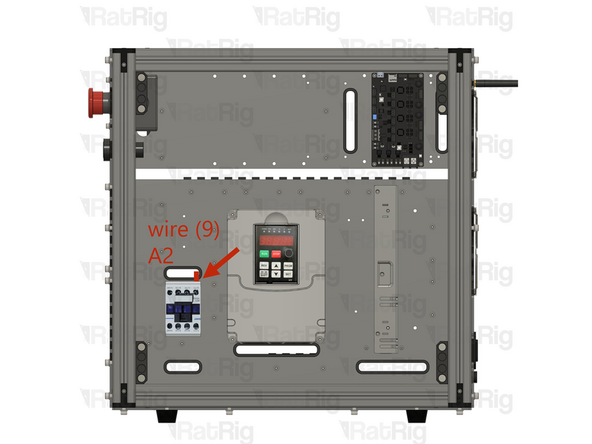
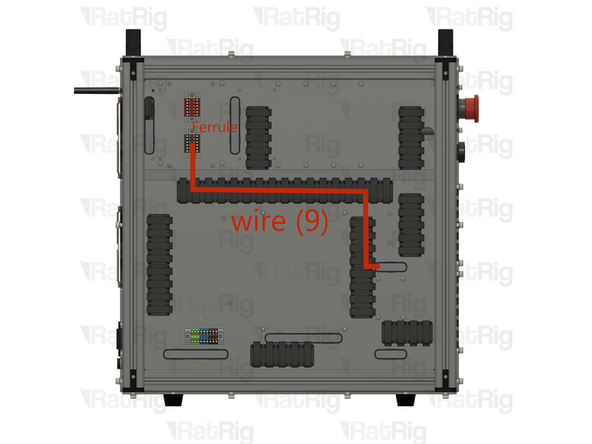
700mm - 16AWG BLACK (A-Fork, B-Ferrule) (9)
-
Insert wire (9) in the A2 terminal on the contactor and connect it to the -24V Black PTFix with the ferrule.
-
Route the wire as shown.
-
After insertion, attempt to pull the wire to verify that it is securely attached.
-
-
-
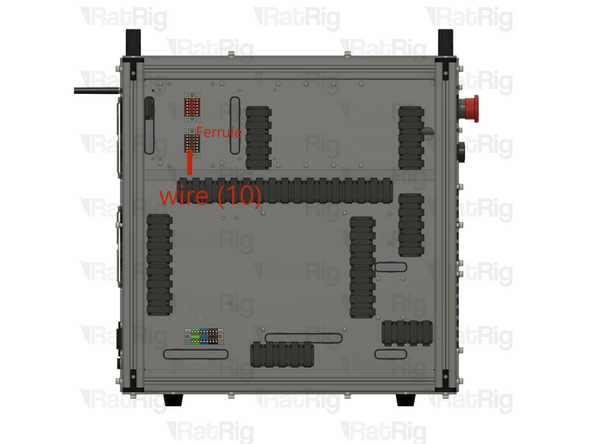
100mm - 16AWG BLACK (A-Fork, B-Ferrule) (10)
-
Insert wire (10) on the -24V Black PTFix with the ferrule and connect it to the -24V Rodent input.
-
Route the wire as shown.
-
After insertion, attempt to pull the wire to verify that it is securely attached.
-
-
-
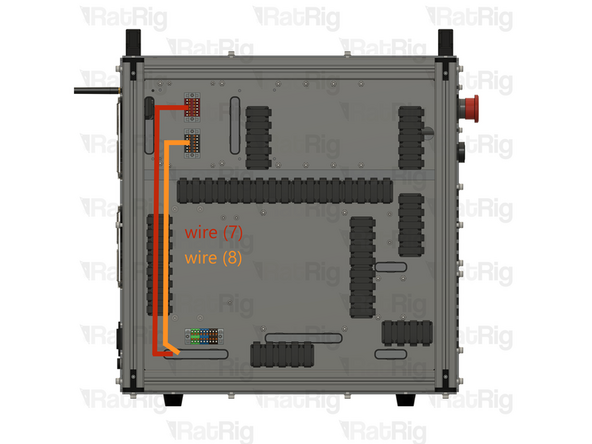
740mm - 16AWG RED (A-Fork, B-Ferrule) (7)
-
This wire should be attached to the power supply 02. Common components . Route it as shown and connect the ferrule end to the +24V RED PTFix terminal.
-
740mm - 16AWG BLACK (A-Fork, B-Ferrule) (8)
-
This wire should be attached to the power supply 02. Common components . Route it as shown and connect the ferrule end to the -24V BLACK PTFix terminal.
-
After insertion, attempt to pull the wire to verify that it is securely attached.
-
-
-
You will need to cut the JST connector on the Fans - 120mm x 15mm, as well as crimp a ferrule to each wire.
-
Insert both Red wires from the fans into the +24V RED PTFix terminal.
-
Insert both Black wires from the fans into the -24V Black PTFix terminal.
-
-
-
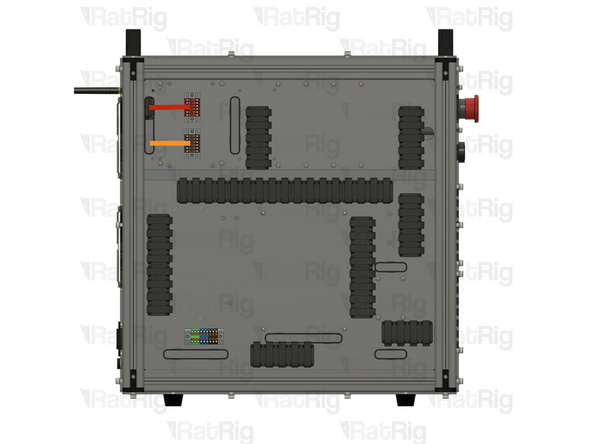
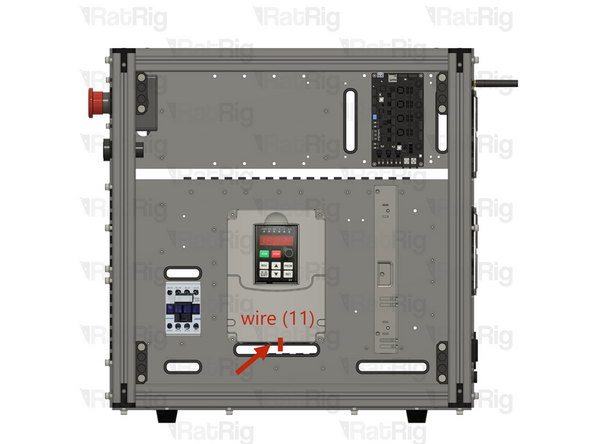
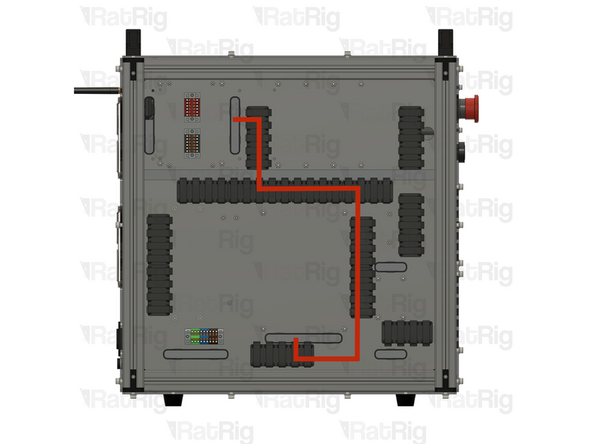
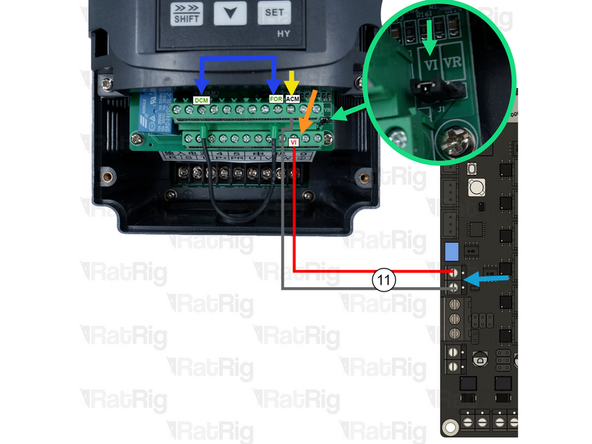
900mm - Multicore 2 Conductor - 24AWG (A-2xFork, B-2xFerrule) (11)
-
Connect the Red wire to the VI input on the VFD.
-
Connect the Black wire to the ACM input on the VFD
-
Ensure the VI jumper is set as shown.
-
Connect the Red and Black ferrules as to the Rodent output as shown.
-
Ensure the VFD Jumper wire is set between the ACM and FOR terminals.
-
-
-
It is recommended to wire the power supply before installing it in the electronics enclosure. Please connect the following wires:
-
200mm - 18AWG BROWN (A-Fork, B-Ferrule) (12)
-
200mm - 18AWG BLUE (A-Fork, B-Ferrule) (13)
-
200mm - 18AWG YELLOW/GREEN (A-Fork, B-Ferrule) (14)
-
740mm - 16AWG BLACK (A-Fork, B-Ferrule) (8)
-
740mm - 16AWG RED (A-Fork, B-Ferrule) (7)
-
Connect all the wires above to the Power Supply, using the Fork connectors on each wire.
-
After insertion, attempt to pull the wire to verify that it is securely attached.
-
-
-
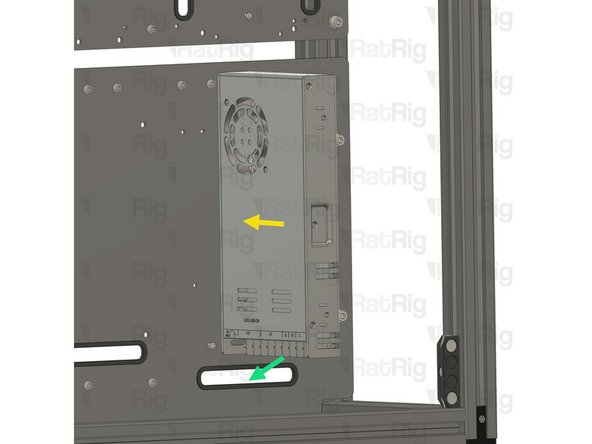
Install the component using the designated holes.
-
2x M4x8 Cap Head Screw + M4 Washer
-
Power Supply Weho - 350Watt 24V
-
Install the power supply as illustrated, securing it by screwing the M4 screw into the threaded holes on the side of the power supply body.
-
Feed all the wires through the designated slot.
-